27
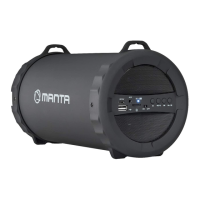
DESCRIPCIÓN DE FUNCIONES EN PANEL DE MANDO
1. Pantalla LED
2. POWER/INPUT: Conmutador
ALIMENTACIÓN/USB/PUERTO LINEAL/BLUETOOTH/FM
3. MIC: Entrada de micrófono
4. GUITAR: Entrada de guitarra
5. Botón selección de Menú
6. VOLUME-/+: Ajuste de volumen del dispositivo
7. USB: puerto USB. Conectando cualquier dispositivo, prestar especial atención a
la orientación del enchufe, respecto al puerto. Cargador USB 5V 1A.
8. Entrada lineal
9. Diodo LED
Luz ROJA - indica el proceso de carga de batería.
Luz VERDE - indica que la batería está completamente cargada.
10. Interfaz DC 13,5V
11. Siguiente tema
12. Tema anterior
OPERACIONES BÁSICAS
1. Encendido del dispositivo
Mantener pulsado el botón STANDBY del panel de mando/mando a distancia,
durante unos segundos, para encender el dispositivo, se encenderá el diodo LED.
Si el dispositivo permanece en modo de espera (STANDBY), durante un largo
tiempo, se desconectará automáticamente. Para volver a activar el dispositivo,
pulsar el botón STANDBY en panel de mando/mando a distancia.
Manual de usuario ES
1
2
11
12
10
3 4 5
6
7
8
9


 To Next Page
 Loading...