EasyManua.ls Logo

Manta Power Audio SPK5032 - User Manual

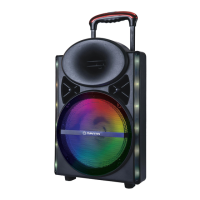
Manta Power Audio SPK5032
28 pages
Go to English
Print Icon
To Next Page IconTo Next Page
Loading...
Power Audio
SPK5032
INSTRUKCJA OBSŁUGI
USER’S MANUAL
MANUAL DE USUARIO
MANUAL DE USUÁRIO
BEDIENUNGSANLEITUNG

Questions and Answers

  • L
    Lisa McdonaldAug 7, 2025
    What to do if Manta Speakers have no sound when power is on?
    • A
      Andrew LongAug 7, 2025
      If your Manta Speakers produce no sound when turned on, here are a few things to check: 1. Make sure the power cord is properly connected. 2. Verify that the outlet you're using is working. 3. Ensure an input source is connected. 4. Check that the volume isn't set to the minimum. Adjust the volume to an audible level.
  • C
    Christopher RichardsonAug 14, 2025
    Why is the sound distorted on my Manta Power Audio SPK5032?
    • D
      Devin HansonAug 14, 2025
      Distorted sound from your Manta Speakers can be due to a couple of reasons: * The master volume might be set too high. Try reducing the volume. * The speaker itself might be damaged. Inspect the speaker for any signs of damage.
  • W
    wagnerdarrylAug 22, 2025
    How to fix no sound from Karaoke on Manta Speakers?
    • J
      Jerry PowellAug 22, 2025
      If you're not getting any sound from the karaoke function on your Manta Speakers, consider the following: * Ensure the microphone plug is firmly inserted into the socket. * Verify that the microphone is switched on. * Check the microphone volume and increase it if it's set too low. * If using a wireless microphone, replace the batteries.
  • S
    steven79Aug 29, 2025
    What to do if there is no sound from MP3 source on Manta Power Audio SPK5032 Speakers?
    • K
      Kirsten WardAug 29, 2025
      If you're experiencing no sound when playing from an MP3 source on your Manta Speakers: * The file format might not be supported. Convert the file to MP3 format. * The USB/SD source may not be inserted properly or it may be an illegal copy. Ensure the USB/SD is correctly inserted.

Summary

Safety Precautions

General Warnings

Provides essential safety warnings regarding electrical hazards, placement, child safety, and proper handling.

Remote Control and Panel Functions

Remote Control Operation

Details how to use the remote, including button functions and operating tips for effective control.

Top Panel Description

Identifies and explains the functions of the speaker's top panel controls for user interaction.

Speaker Features and Operation

Connectivity and Power

Details the power switch, FM antenna connection, and AC input charging port for setup.

Wireless Microphone Usage

Guides on using the wireless microphone, including setup, operation, and troubleshooting notes.

Built-in Recording Function

Explains how to record audio using the speaker's built-in recording feature via USB/SD.

USB;SD Card Operation

Instructions for playing music from USB/SD cards and available playback controls.

Advanced Functions and Troubleshooting

Bluetooth Operation

Step-by-step guide for connecting and using Bluetooth devices with the speaker.

FM Radio Function

Instructions for tuning into and operating the FM radio feature.

Troubleshooting Guide

Provides solutions to common problems encountered with the speaker's operation.

Support and Disposal Information

Service and Contact Information

Provides contact details for service and support inquiries.

Proper Device Disposal

Guidelines for environmentally responsible disposal of the product.

Important Notes and Disclaimers

Contains important notes regarding product changes and manufacturer liability.

Manta Power Audio SPK5032 Specifications

General IconGeneral
BrandManta
ModelPower Audio SPK5032
CategorySpeakers
LanguageEnglish

Related product manuals