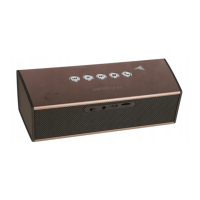
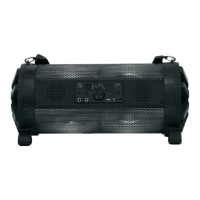
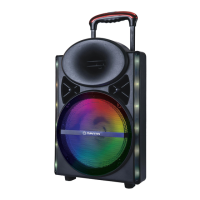
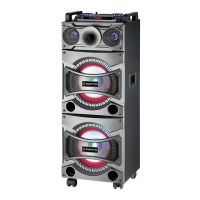
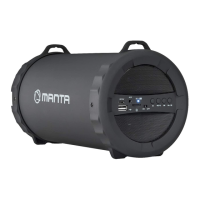
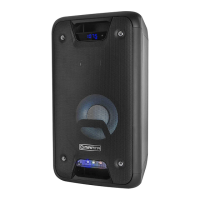
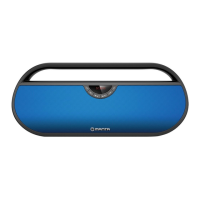
The Manta SPK614 is a Bluetooth speaker designed for portable music playback and includes various features for an enhanced user experience.
Function Description:
The SPK614 is a Bluetooth speaker system with a built-in microphone, allowing for wireless audio streaming and potentially hands-free calling (though not explicitly detailed for calls). It supports multiple input modes including USB, Bluetooth, AUX, and FM Radio. The device features an integrated equalizer system to customize sound output and offers various LED lighting effects for a disco-like ambiance. It is powered by a rechargeable lead-acid battery, providing portability.
Important Technical Specifications:
- Power Requirements: AC100-240V~60/50Hz
- Power Consumption: 35W
- Battery Pack: 12V 4.0Ah Lead-acid battery
- FM Frequency: 87.5-108 MHz
- Power Output: 25W x 2 (RMS)
- AUX In Jack: 3.5 mm
- Work Temperature: +5°C - +35°C
- Bluetooth Communication System: Standard Bluetooth version 2.1+EDR
- Bluetooth Reception Range: 10 meters (line-of-sight distance)
- Compatible Bluetooth Profiles: Advanced Audio Distribution Profile (A2DP)
- USB Charging Port: 5V 1A for smartphone charging
- Accessories: Instruction Manual x 1pc, AC Cord x 1pc
Usage Features:
Getting Started:
The unit operates on a rechargeable lead-acid battery (4000mAh capacity). It is recommended to fully charge the unit before its first use. The charging process is indicated by a red LED, which turns green when fully charged. A flashing red LED indicates a low battery. The battery should only be replaced by qualified personnel.
Basic Functions:
- Turning On/Off: Press the ON/OFF button located on the rear cabinet.
- Standby Mode: In USB/Bluetooth/AUX mode, the unit will automatically enter standby after 15 minutes of inactivity. Press the FUNCTION/Light button to reactivate.
- Low Audio Signal: A low volume from the audio source may be interpreted as "no audio signal," causing the unit to enter standby. To resume playback, reactivate the audio signal transmission or increase the source volume.
- Electrostatic Discharge: The unit may reset or turn off due to electrostatic discharge. If this occurs, switch it off and on again.
Setting the Function Mode:
Repeatedly press the FUNCTION/Light button to cycle through USB, Bluetooth (BT), AUX, and Radio modes.
Adjusting the Volume:
Use the Volume - and Volume + buttons to increase or decrease the audio level.
Equalizer (EQ) Function:
Press the EQ/P-MODE button to select from predefined equalizer settings: FLAT, POP, CLASSIC, JAZZ, and ROCK, to match your music style.
Flashing Light (Disco LED):
Press and hold the LIGHT button to select from 5 LED lighting modes:
- L-1: Constant blue LED.
- L-2: Flashing blue LED.
- L-3: Constant red LED.
- L-4: Flashing red LED.
- L-5: 7-color flashing LED.
Press the button one more time to turn off the lights. The straight light bar will illuminate blue/red in constant LED mode and flash in flashing LED mode.
Radio Operation (FM):
- Tuning to a Radio Station:
- Select FM function by pressing FUNCTION/Light.
- Use the /+10/TUN.+ or /-10/TUN.- buttons to tune to a desired station. "ST" will appear on the display for stereo signals.
- Adjust volume with Volume - or Volume + buttons.
- Extend the FM antenna for best reception.
- Auto Preset Memory/Scan: Press and hold the /BT/SCAN button to automatically search for and save strong signal stations. The unit will tune to the first preset (P01) after scanning. Use /+10/TUN.+ or /-10/TUN.- to navigate presets.
- Manual Preset Memory Operation:
- Tune to the desired station using /+10/TUN.+ or /-10/TUN.-.
- Press and hold the EQ/P-MODE button; "P01" will flash. Use /+10/TUN.+ or /-10/TUN.- to change the preset memory sequence. Press and hold EQ/P-MODE again to save.
- Repeat for up to 30 FM stations.
- To tune to saved presets, press and hold /+10/TUN.+ or /-10/TUN.-.
USB Charging:
The unit has a 5V 1A USB charging port. Connect your smartphone's USB cable to this port to charge your device.
USB Operation (Music Playback):
- Selecting USB Mode: Press FUNCTION/Light to select USB mode.
- Playback: Plug a USB memory stick into the USB port. Playback will start automatically from Track 1.
- Pause/Resume: Press /BT/SCAN to pause (playing time will flash) and press again to resume.
- Track Selection: During playback, press /+10 or /-10 to select a desired track.
- Fast Forward/Rewind: Press and hold /+10 or /-10 to scan the current track at high speed. Release to resume normal playback.
- Skip 10 Tracks: To skip 10 tracks forward or backward, pause playback with /BT/SCAN, then press and hold /+10 or /-10.
- Important Note: The USB port is for data transfer only; other devices cannot be used. USB extension cords are not recommended. Do not unplug the USB device during playback or reading.
Repeat Play (USB):
- Repeat Single Track: Press and hold EQ/P-MODE during playback until "C" appears. The current track will repeat. To cancel, press and hold EQ/P-MODE until "C" disappears.
- Repeat All Tracks: Press and hold EQ/P-MODE until "C" appears steadily. All tracks will repeat. To cancel, press and hold EQ/P-MODE until "C" disappears.
- Repeat Folder (for USB with multiple folders): Press and hold EQ/P-MODE until "C FOLDER" appears steadily. All tracks in the current folder will repeat. To cancel, press and hold EQ/P-MODE until "C FOLDER" disappears.
Random Play (USB):
Press and hold EQ/P-MODE until "RAND" appears steadily. Random playback will start from the next track. To cancel, press EQ/P-MODE again until "RAND" disappears.
Bluetooth Operation:
- Activating Bluetooth: Press FUNCTION/Light to select Bluetooth mode. "bt" will display, and the pair indicator will flash rapidly.
- Pairing: Enable Bluetooth on your device, scan for "SPK614," and connect. Enter password "0000" if prompted. The pair indicator will light steadily, and "bt" will display upon successful connection. Press Play to start playback.
- Volume Adjustment: Use the Volume - or Volume + buttons on the unit, or adjust volume on the external device.
- Disconnecting Bluetooth: Press and hold the PLAY/PAUSE/BT button.
- Note: Bluetooth works best within 10 meters in open air.
AUX-IN Operation:
- Selecting AUX Mode: Press FUNCTION/Light to select "AUX" mode.
- Connecting Device: Connect your audio device to the AUX IN jack on the top panel using an AUX IN cable (not included).
- Volume Adjustment: Use the Volume - or Volume + buttons on the unit, or adjust volume on the external device.
- Playback Control: Control playback directly from your audio device.
Maintenance Features:
- Cleaning: Always unplug the product from the electrical outlet before cleaning. Clean with a dry cloth only.
- Battery Replacement: The battery should only be changed by highly qualified personnel.
- Repair: The product has no user-serviceable parts. Do not attempt to repair it yourself. Refer servicing to qualified service personnel or an electronics repair shop.
- Storage: Unplug the product during lightning storms or when not in use for long periods.
- Environmental Disposal: Dispose of used batteries in an environmentally responsible manner.
- Placement: Place the unit on a flat, hard, and stable surface in a well-ventilated area. Avoid temperatures above 40°C. Maintain at least 30 cm clearance from the rear and top, and 5 cm from each side.
- Ventilation: Do not impede ventilation by covering openings.
- Safety: Do not expose the apparatus to dripping or splashing liquids. Do not place open flame sources (like candles) on the product. Supervise children to ensure they do not play with the appliance. Never insert objects into holes or openings. Do not mount on a wall or ceiling. Avoid placing near TVs, speakers, or other strong magnetic field generators. Do not leave unattended when in use.

 Need help?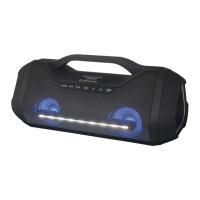

 To Next Page
 General