24
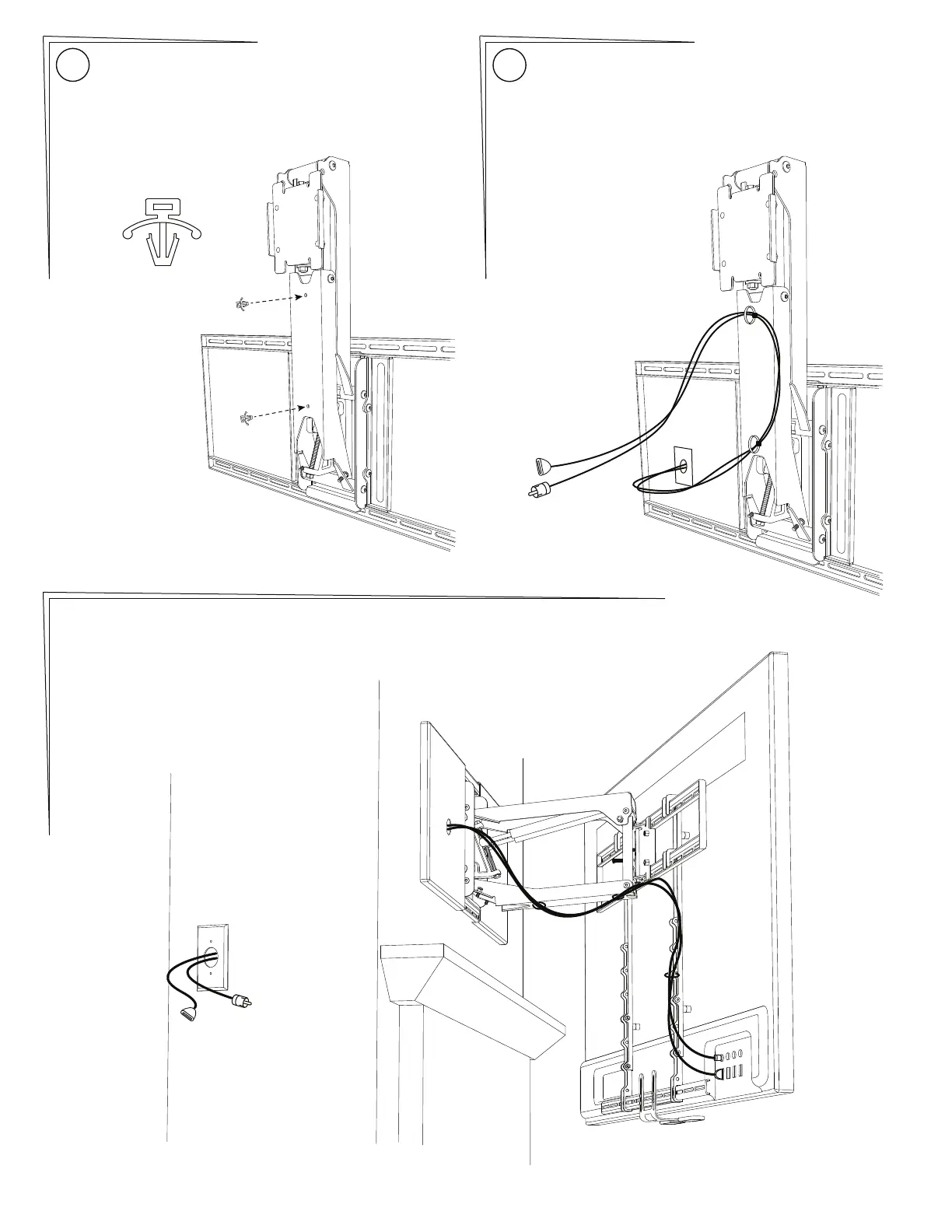
Insert the two Cable Tie Anchors {22} into the two
holes in the Lower Arm of the Lifting Mechanism.
Press firmly until they are flat.
Shown below is the easiest way to attach cables. Use the
included Cable Ties {24} to attach cables so they are
sideways to the Lower Arm, making a gentle loop.
Cables should be long enough to accommodate the
extension and swivel of MantelMount. Check all ranges of
motion before tightening the Cable Ties.
25
Reference Only: This is one possible configuration for the signal cables. Each segment of the cables
has extra length so that the cables are not stressed or kinked when the mount is moved.
{22}
PAGE 12 MantelMount MM700


 To Next Page