Cleaning and Maintenance
MkXNhYvx4rg;
.%$z%$zd
Mk8aXi%$zm +}x$!BH
fE9XsvSZ E`{XBv"yV\&!]
0pk#723vSZD-
M=XHYvLwbF]j[;:O1Pt_5fE!g
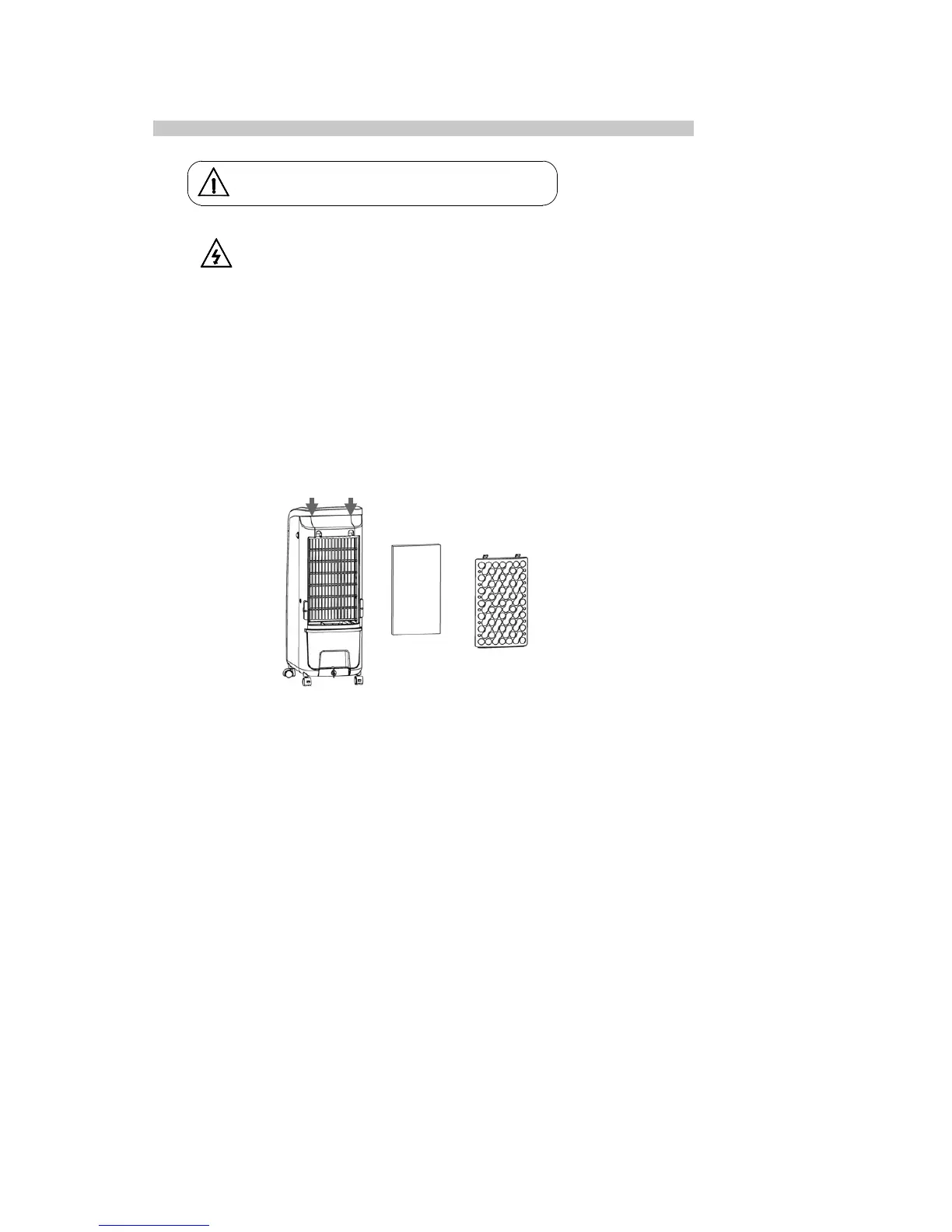
●Air filter net and wet curtain assembly cleaning
If there is too much dust on the air filter net, the wind effect will be impacted. This can be prevented by
cleaning at least once a month.
1. Take out the air filter net. The wet curtain can then be taken out (operation is as below).
2. Use cleanser and banister brush to clean the air filter net.
3. Dip the wet curtain assembly into cleanser for several minutes, then clean and dry it.
● Water tank cleaning
1. Turn off the power and rotate the water tank lock to horizontal direction, then take the water tank out.
2. Use the towel to clean the incrustation of the water tank by cleanser, then use water to wash and pour
out the dirty water.
● Machine body cleaning
1. Use a wet towel to clean the machine body, do not wash with water directly.
2. Do not wash with corrosive cleanser or solvent.
3. The power should be turned off and unplugged when cleaning the machine body to avoid the risk of
electric shock.
● Installation after cleaning
1. Install the air filter net, wet curtain assembly and water tank orderly and ensure the installation is correct.
2. Plug in and turn on the product to confirm the machine runs smoothly.
● Maintenance
1. If the machine has not been used for a long time, the power cable should unplugged and the machine
should be packed to prevent dust.
2. Ensure the wet curtain and air filter net is dry and there is no water in the tank before packing.
Do not use chemical agents for cleaning.
If dust is accumulated on the surface, wipe with a soft
cloth. If the surface is dirty, mix water lower than 50°C
with neutral detergent, then wipe with a soft cloth and dry.
Do not use petrol, thinner or any substance that damages
the surface easily for cleaning.
Turn off the power and unplug the power cord.
Always unplug the power cord before cleaning
the device, as it may cause an electric shock.


 To Next Page