10
ENGLISH
CONNECTIONS
This CD player is connected to an amplifier, CD recorder and other components for use. To ensure that the
components are connected properly, refer to the instruction manuals that come with the components to be
connected.
Before connecting the components, be absolutely sure to turn off their power.
CONNECTING TO AN AMPLIFIER
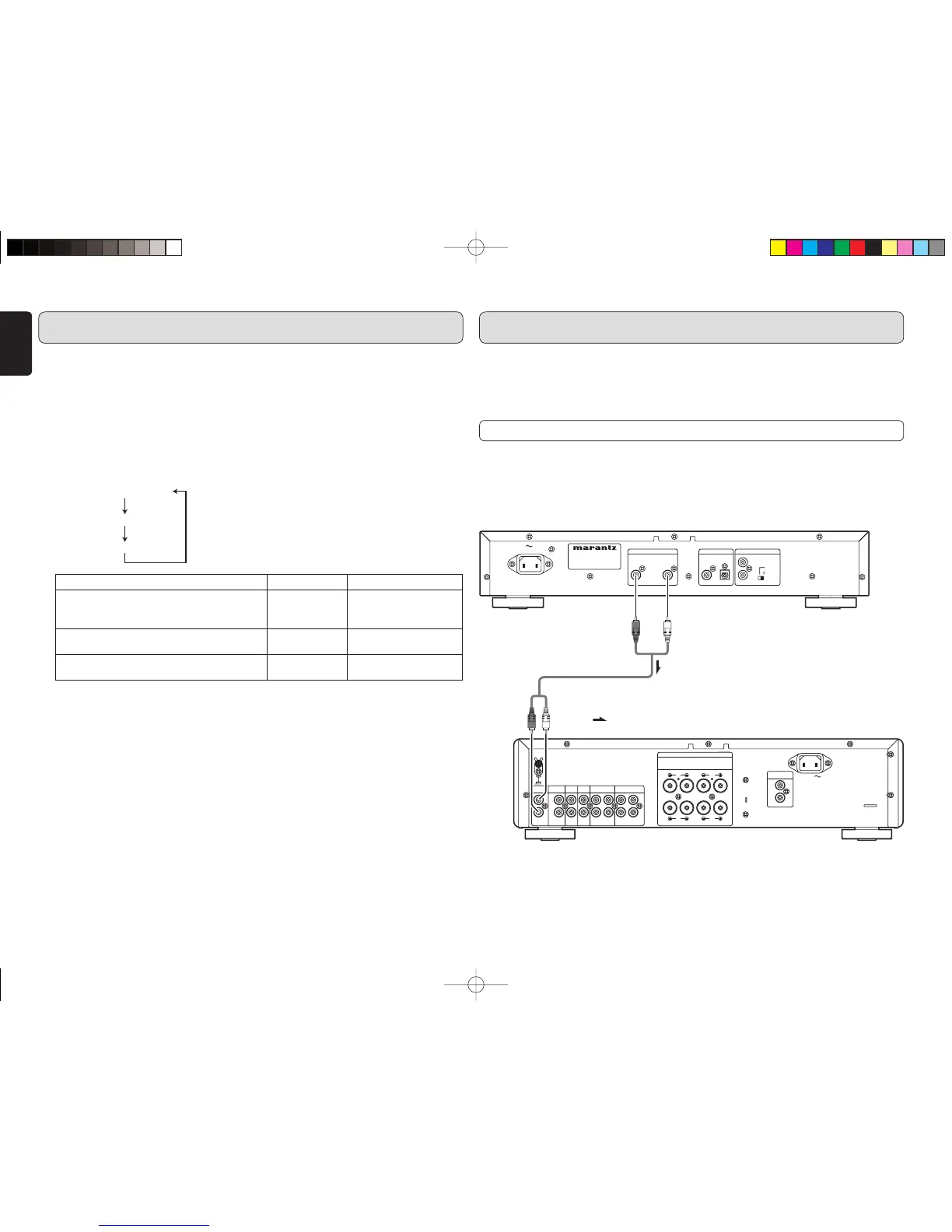
Use the audio connecting cord to connect the player with a stereo amplifier or AV amplifier.
When making the connections, insert the plugs securely into the connectors. Failure to insert the plugs
securely may result in noise.
Note:
Do not connect the player to the PHONO input connectors on the amplifier.
OUT
:
(Red) (White)
Audio connecting cord (supplied)
(Red) (White) Signal fl ow
Amplifi er
@3 AMS (auto music scan) button
This is used to play the intros of all the tracks
in sequence starting from the first track for the
duration equivalent to the setting.
(page 15)
@4 SOUND MODE button
When not playing, each time the button is
pressed, the sound mode will change as shown
in the diagram below.
Audio EX OFF
Audio EX 1
Audio EX 2
Note:
If the POWER button on the CD player or
the POWER button on the remote control
is pressed, even if the machine goes into
STANDBY, the most recently-set time will be
kept. In the event of the power cord being
removed from the player or from the power
supply outlet, the setting will revert to the
default (Audio EX OFF).
@5 0 OPEN/CLOSE button
This is used to open and close the disc tray.
When it is pressed, the disc tray opens; when it
is pressed again, it closes.
NAMES AND FUNCTIONS
SOUND MODE Pitch Control Digital Out
Audio EX OFF (When first purchased):
Available
On
(Under the Pitch control 0
(zero) position only.)
Audio EX 1:
Audio EX 1 offers better sound.
Not available On
Audio EX 2:
Audio EX 2 offers best sound from analog outputs.
Not available Off
CD6002N01ENG.indd10CD6002N01ENG.indd10 07.6.201:09:13PM07.6.201:09:13PM



 To Next Page