o
Network audio player operations
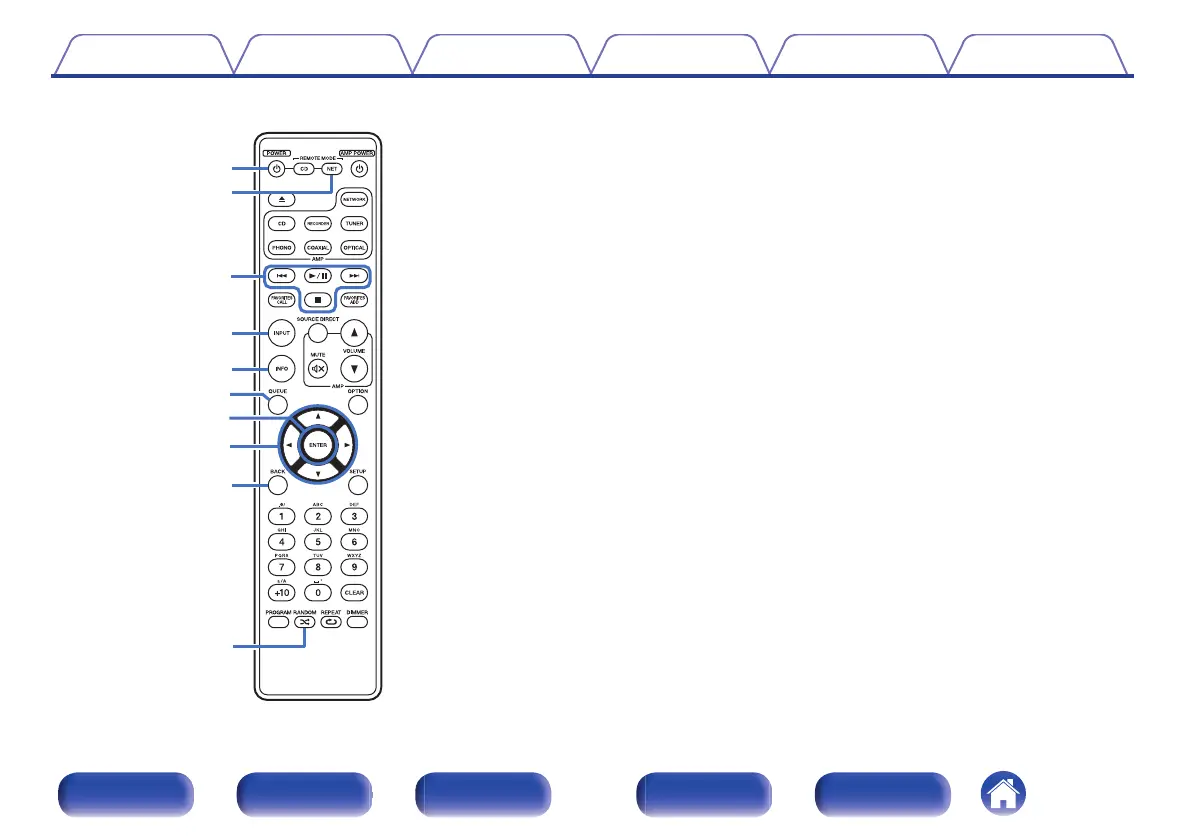
You can operate a Marantz network audio player.
To operate a Marantz network audio player, press the REMOTE
MODE NET button to switch the remote control to the network audio
player operation mode.
A
Power operation button (POWER X)
B
Remote mode select button
(REMOTE MODE NET)
C
System buttons
D
Media mode select button (INPUT)
E
Information button (INFO)
F
QUEUE button
G
ENTER button
H
Cursor buttons (uio p)
I
BACK button
J
RANDOM button (P)
Contents Connections Playback Settings Tips Appendix
15
Front panel Display Rear panel Remote Index



 To Next Page