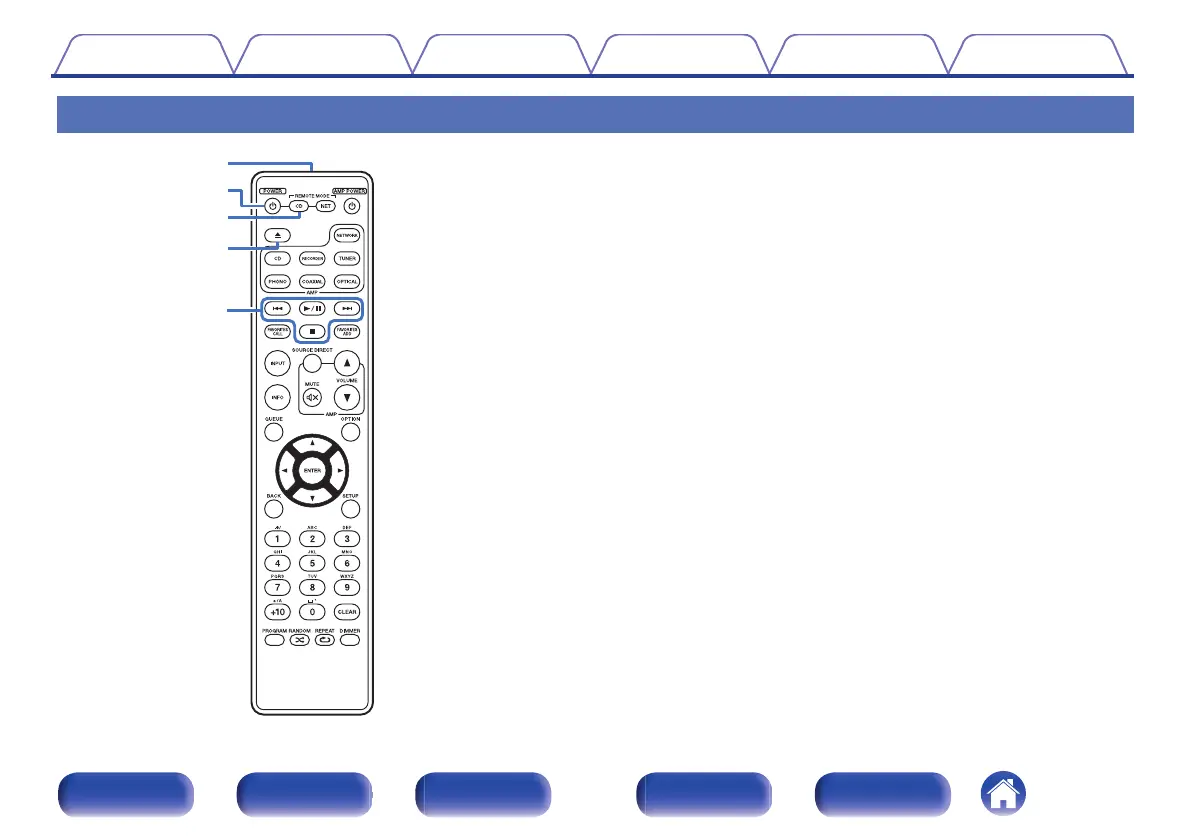
Remote control unit
The remote control provided with this unit can control a network audio
player in addition to a Marantz amplifier.
0
“Amplifier operations” (v p. 14)
0
“Network audio player operations” (v p. 15)
o
Operating this unit
To operate CD player, press REMOTE MODE CD button to switch the
remote control to the CD player operation mode.
A
Remote control signal transmitter
This transmits signals from the remote control unit. (v p. 5)
B
Power operation button (POWER X)
This turns the power on/off (standby). (v p. 25)
C
Remote mode select button
(REMOTE MODE CD)
This switches the remote control operating mode to CD player.
D
Disc tray open/close button (5)
Opens and closes the disc tray. (v p. 27)
E
System buttons
These perform playback related operations.
Contents Connections Playback Settings Tips Appendix
11
Front panel Display Rear panel Remote Index



 To Next Page