Playing Discs5
26
ENTER
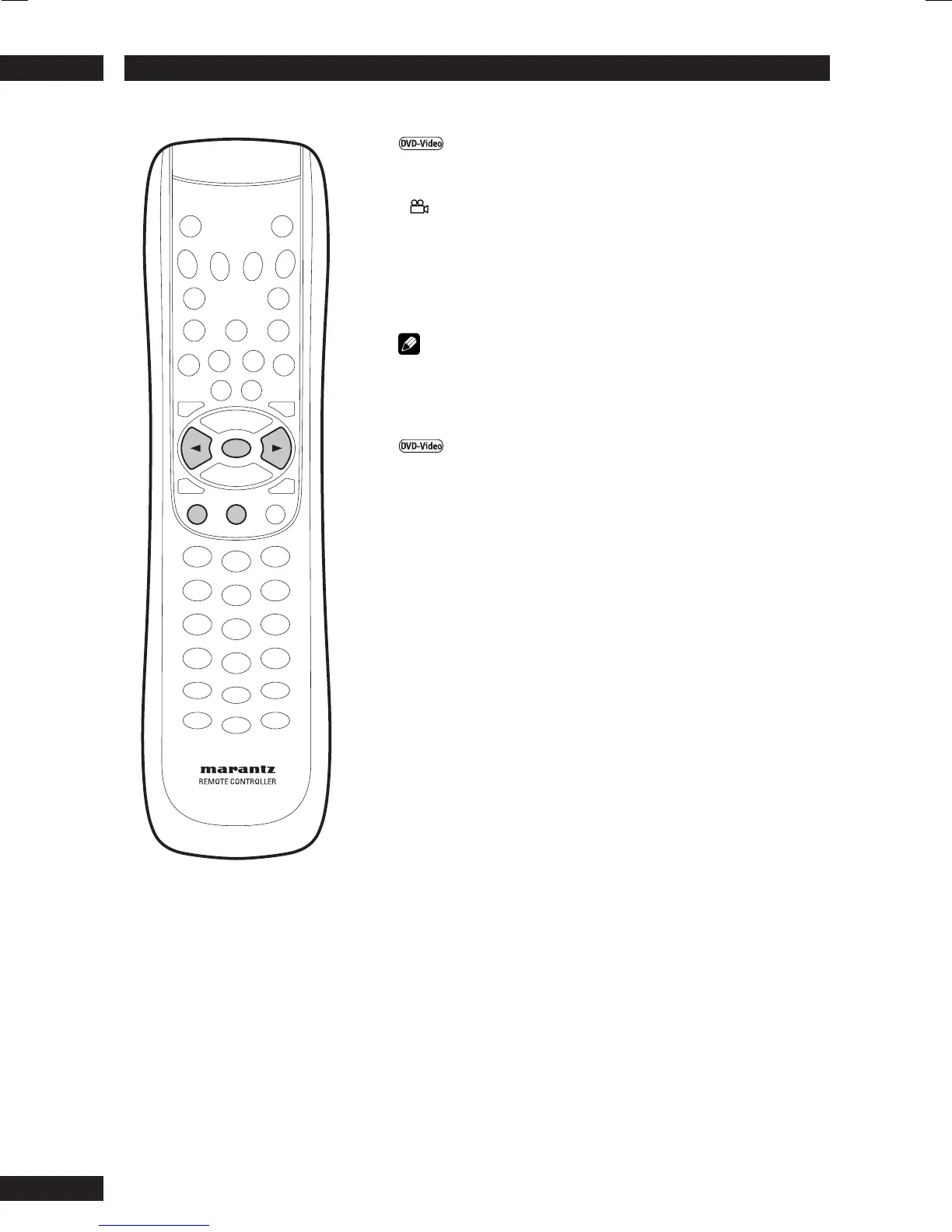
ANGLE SUBTITLE
Switching Camera Angles
Some DVD-Video discs feature scenes shot from two or more
angles—check the disc box for details: it should be marked with
a icon if it contains camera-angle scenes.
•To display the camera angle, press ANGLE.
•To select the camera angle, use the cursor buttons (2/3).
•To hide the TV angle indicator, choose Angle Mark > Off from the
Others menu (see page 50).
Note
Depending on the disc, this feature may not work.
Switching Subtitle Language
Many DVD-Video discs have subtitles in one or more lan-
guages—the disc box will usually tell you which subtitle lan-
guages are available. You can switch subtitle language anytime
during playback.
•To display the subtitle language, press SUBTITLE.
•To select the subtitle language, use the cursor buttons (2/3).
• The current subtitle language is shown on-screen.
•To set subtitle preferences, see page 36.


 To Next Page