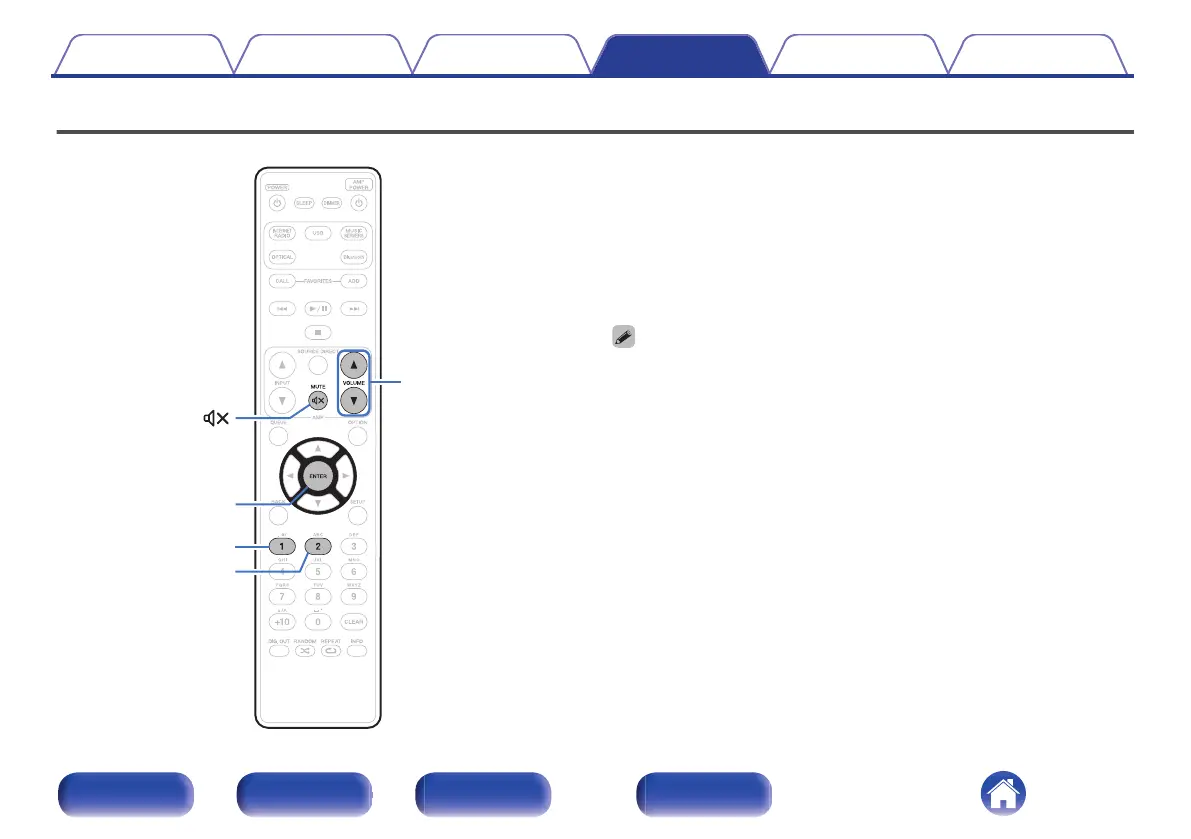
Switching the function of the volume buttons on the remote control
.
The operation mode of the included remote control can be switched to
enable audio adjustment on the main unit if the main unit analog audio
output (VARIABLE) is connected to the power amp.
There are two remote control operation modes, “Amplifier Operation
Mode” and “Network Audio Player Operation Mode”.
Adjust the Marantz amplifier volume from Amplifier Operation Mode.
Adjust the volume of the audio signal output from the analog audio output
(VARIABLE) of the main unit from Network Audio Player Operation Mode.
The default setting is Amplifier Operation Mode.
0
Be sure to check the operation of each unit after setting the remote control
operation modes.
0
Switch between the remote control operation mode settings by pressing the
VOLUME df and MUTE : buttons.
Contents
Connections Playback Settings Tips Appendix
87
Front panel Rear panel
Remote control
unit
Index



 To Next Page