33
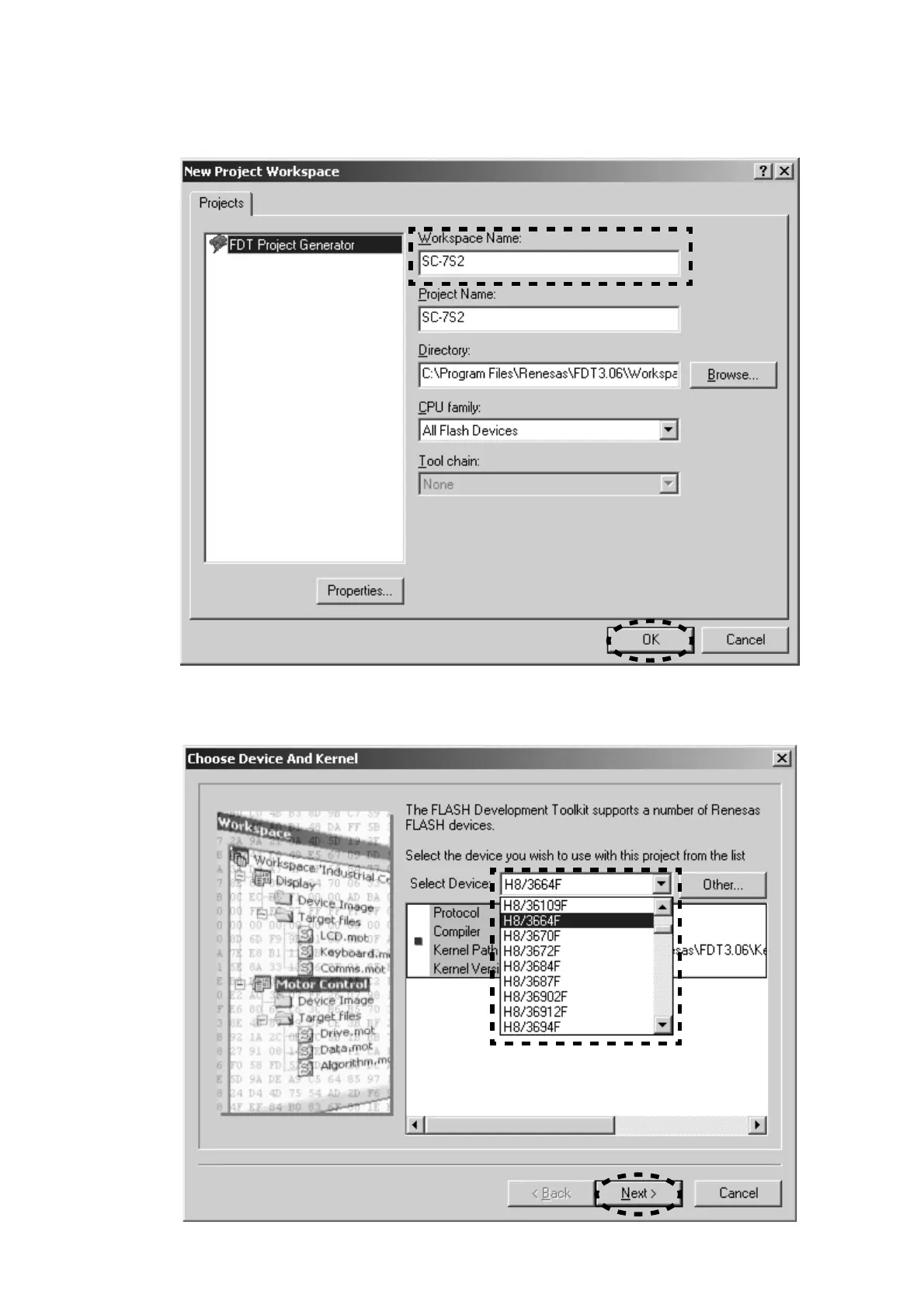
4. SC-7S2 is inputted into the Workspace Name.
(It is simultaneously inputted into Project Name.)
Click the OK.
5. Choose the H8/3664F in Select Device. And click the
Next.
4. Workspace NameにSC-7S2を入力します。
(同時にProject Nameにも入力されます)
OK
をクリックします。
5. Select Device
からH8/3664Fを選択し、Nextをクリックし
ます。


 To Next Page