38
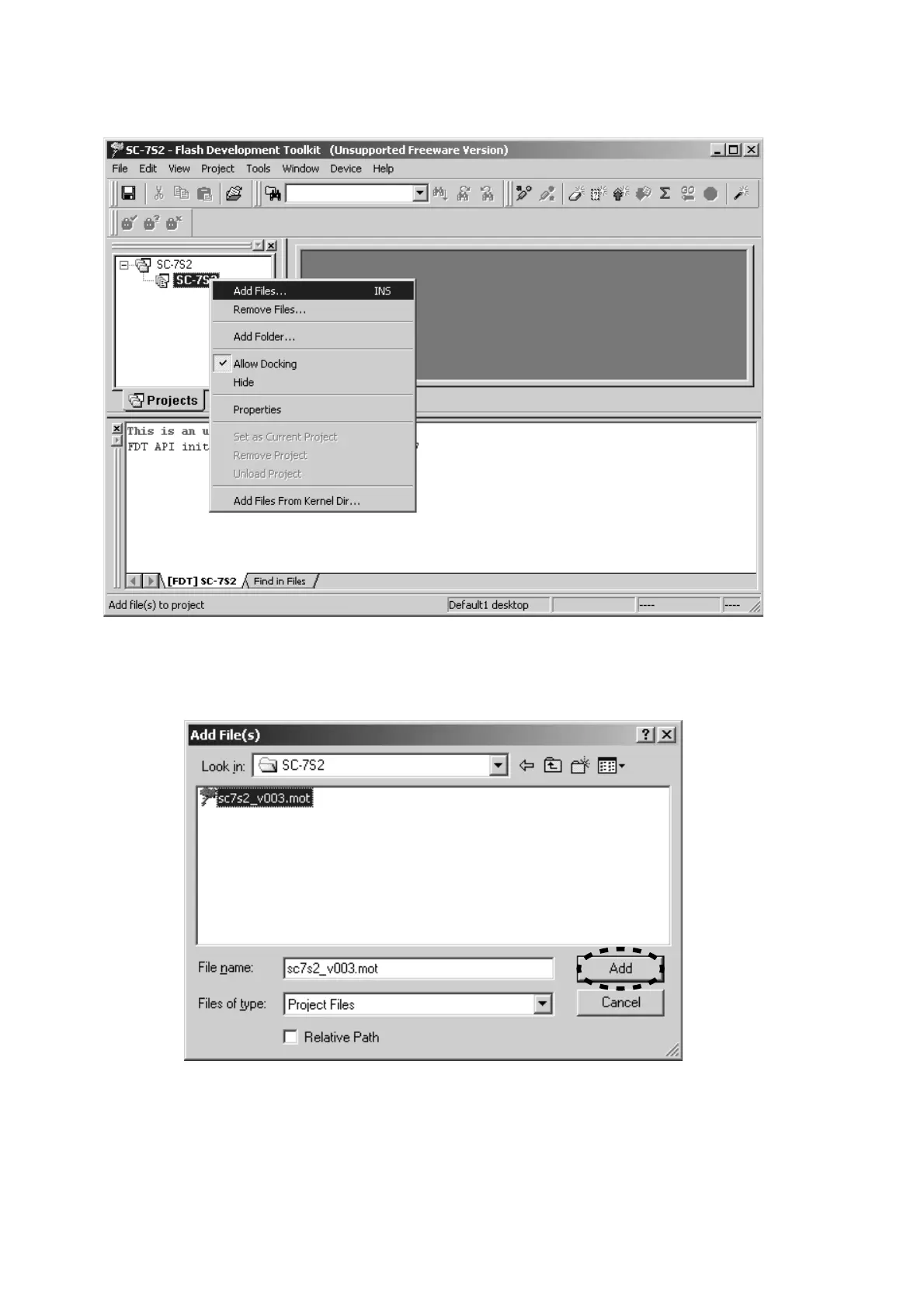
10. Right button of mouse click on the SC-7S2, and select
the Add Files... in a menu.
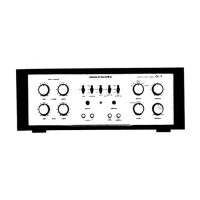
11. Choose the sc7s2_v003.mot, and click the Add.
NOTE : The v003 is a revision number. The latest
revision is v003 at present. (August, 2006)
12. Press the power on/off button for turn on the unit.
10. SC-7S2を右クリックし、メニューからAdd Files...をクリ
ックします。
11. sc7s2_v003.mot
を選択し、Addをクリックします。
注意: v003はリリース番号です。最新のリリース番号は
v003です。(2006年8月現在)
12. power on/off
ボタンを押し、本機の電源を入れます。


 To Next Page