EasyManua.ls Logo

Marantz SD4000 - Play Start Muting Switch Installation; Solenoid L010 Installation Caution

Marantz SD4000
47 pages
Print Icon
To Next Page IconTo Next Page
To Previous Page IconTo Previous Page
Loading...
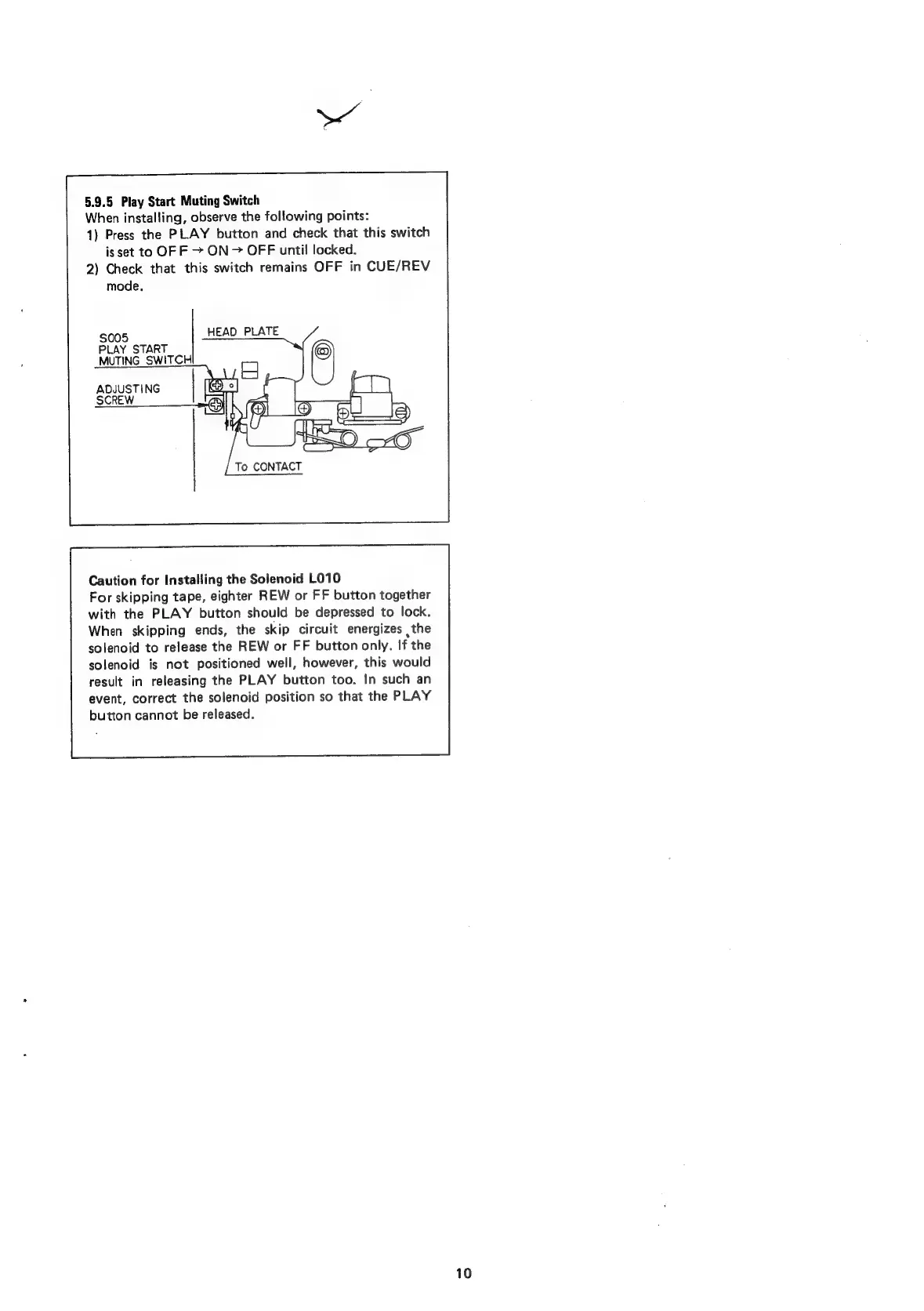
5.9.5
Play
Start
Muting
Switch
When
installing,
observe
the
following
points:
1)
Press
the
PLAY
button
and
check
that
this
switch
is
set
to
OF
F
>
ON
>
OFF
until!
locked.
2)
Check
that
this
switch
remains
OFF
in
CUE/REV
mode.
005
HEAD
PLATE
S
PLAY
START
MUTING
SWITCH
ADJUSTING
SCREW
To
CONTACT
Caution
for
Installing
the
Solenoid
L010
For
skipping
tape,
eighter
REW
or
FF
button
together
with
the
PLAY
button
should
be
depressed
to
lock.
When
skipping
ends,
the
skip
circuit
energizes
the
solenoid
to
release
the
REW
or
FF
button
only.
If
the
solenoid
is
not
positioned
well,
however,
this
would
result
in
releasing
the
PLAY
button
too.
In
such
an
event,
correct
the
solenoid
position
so
that
the
PLAY
button
cannot
be
released.
10

Related product manuals