EasyManua.ls Logo

Marantz SR1010 - Page 16

Marantz SR1010
27 pages
Print Icon
To Next Page IconTo Next Page
To Previous Page IconTo Previous Page
Loading...
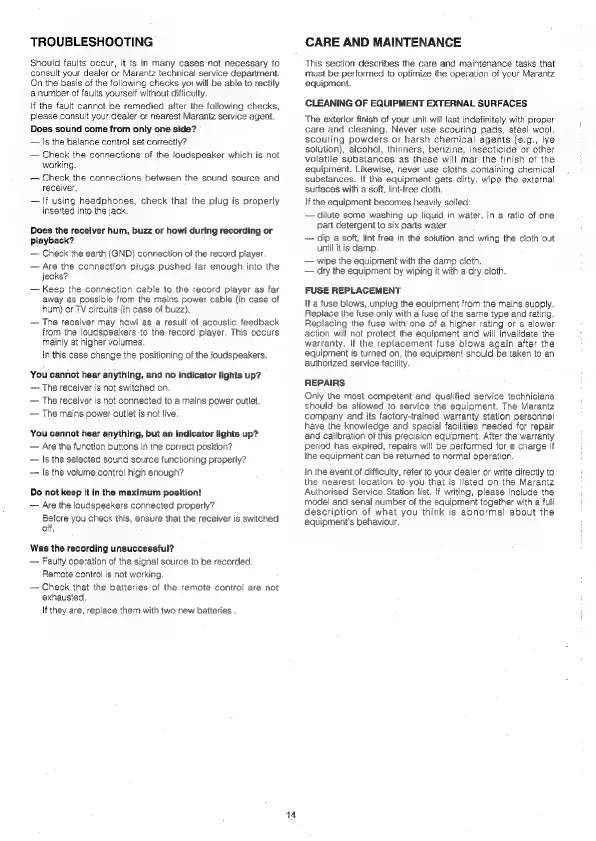
TROUBLESHOOTING
Should
faults
occur,
it
is
in
many
cases
not
necessary
to
consult
your
dealer
or
Marantz
technical
service
department.
On
the
basis
of
the
following
checks
yoi
will
be
able
to
rectify
a
number
of
faults
yourself
without
difficulty.
If
the
fault
cannot
be
remedied
after
the
following
checks,
please
consult
your
dealer
or
nearest
Marantz
service
agent.
Does
sound
come
from
only
one
side?
Is
the
balance
control
set
correctly?
Check
the
connections
of
the
loudspeaker
which
is
not
working.
Check
the
connections
between
the
sound
source
and
receiver.
If
using
headphones,
check
that
the
plug
is
properly
inserted
into
the
jack.
Does
the
receiver
hum,
buzz
or
howl
during
recording
or
playback?
Check
the
earth
(GND)
connection
of
the
record
player.
Are
the
connection
plugs
pushed
far
enough
into
the
jacks?
Keep
the
connection
cable
to
the
record
player
as
far
away
as
possible
from
the
mains
power
cable
(in
case
of
hum)
or
TV
circuits
(in
case
of
buzz).
The
receiver
may
how!
as
a
result
of
acoustic
feedback
from
the
loudspeakers
to
the
record
player.
This
occurs
mainly
at
higher
volumes.
in
this
case
change
the
positioning
of
the
loudspeakers.
You
cannot
hear
anything,
and
no
indicator
lights
up?
——
The
receiver
is
not
switched
on.
The
receiver
is
not
connected
to
a
mains
power
outlet.
The
mains
power
outlet
is
not
live.
You
cannot
hear
anything,
but
an
indicator
lights
up?
Are
the
function
buttons
in
the
correct
position?
Is
the
selected
sound
source
functioning
properly?
Is
the
volume
control
high
enough?
Do
not
keep
it
in
the
maximum
position!
—~
Are
the
loudspeakers
connected
properly?
Before
you
check
this,
ensure
that
the
receiver
is
switched
off.
Was
the
recording
unsuccessful?
Faulty
operation
of
the
signal
source
to
be
recorded.
Remote
control
is
not
working.
Check
that
the
batteries
of
the
remote
control
are
not
exhausted.
If
they
are,
replace
them
with
two
new
batteries
.
14
CARE
AND
MAINTENANCE
This
section
describes
the
care
and
maintenance
tasks
that
must
be
performed
to
aptimize
the
operation
of
your
Marantz
equipment.
CLEANING
OF
EQUIPMENT
EXTERNAL
SURFACES
The
exterior
finish
of
your
unit
will
last
indefinitely
with
proper
care
and
cleaning.
Never
use
scouring
pads,
steel
wool,
scouring
powders
or
harsh
chemical
agents
(¢.g.,
lye
solution),
alcohol,
thinners,
benzine,
insecticide
or
other
volatile
substances
as
these
will
mar
the
finish
of
the
equipment.
Likewise,
never
use
cloths
containing
chemical
substances.
If
the
equipment
gets
dirty.
wipe
the
external
surfaces
with
a
soft,
lint-free
cloth.
If
the
equipment
becomes
heavily
soiled:
dilute
some
washing
up
liquid
in
water,
in
a
ratio
of
one
part
detergent
to
six
parts
water
dip
a
soft,
lint
free
in
the
solution
and
wring
the
cloth
out
until
it
is
damp.
0
wipe
the
equipment
with
the
damp
cloth.
dry
the
equipment
by
wiping
it
with
a
dry
cloth.
FUSE
REPLACEMENT
If
a
fuse
blows,
unpiug
the
equipment
from
the
mains
supply.
Replace
the
fuse
only
with
a
fuse
of
the
same
type
and
rating.
Replacing
the
fuse
with
one
of
a
higher
rating
or
a
slower
action
will
not
protect
the
equipment
and
will
invalidate
the
warranty.
if
the
replacement
fuse
blows
again
after
the
equipment
is
turned
on,
the
equipment
should
be
taken
to
an
authorized
service
facility.
REPAIRS.
Only
the
most
competent
and
qualified
service
technicians
should
be
allowed
to
service
the
equipment.
The
Marantz
company
and
its
factory-trained
warranty
station
personnel
have
the
knowledge
and
special
facilities
needed
for
repair
and
calibration
of
this
precision
equipment.
After
the
warranty
period
has
expired,
repairs
will
be
performed
for
a
charge
if
the
equipment
can
be
returned
to
normal
operation.
in
the
event
of
difficulty,
refer
to
your
dealer
or
write
directly
to
the
nearest
location
to
you
that
is
listed
on
the
Marantz
Authorised
Service
Station
list.
If
writing,
please
include
the
model
and
serial
number
of
the
equipment
together
with
a
full
description
of
what
you
think
is
abnormal
about
the
equipment’s
behaviour.

Related product manuals