o
Connecting the speaker cables
Carefully check the left (L) and right (R) channels and + (red) and –
(black) polarities on the speakers being connected to this unit, and be
sure to connect the channels and polarities correctly.
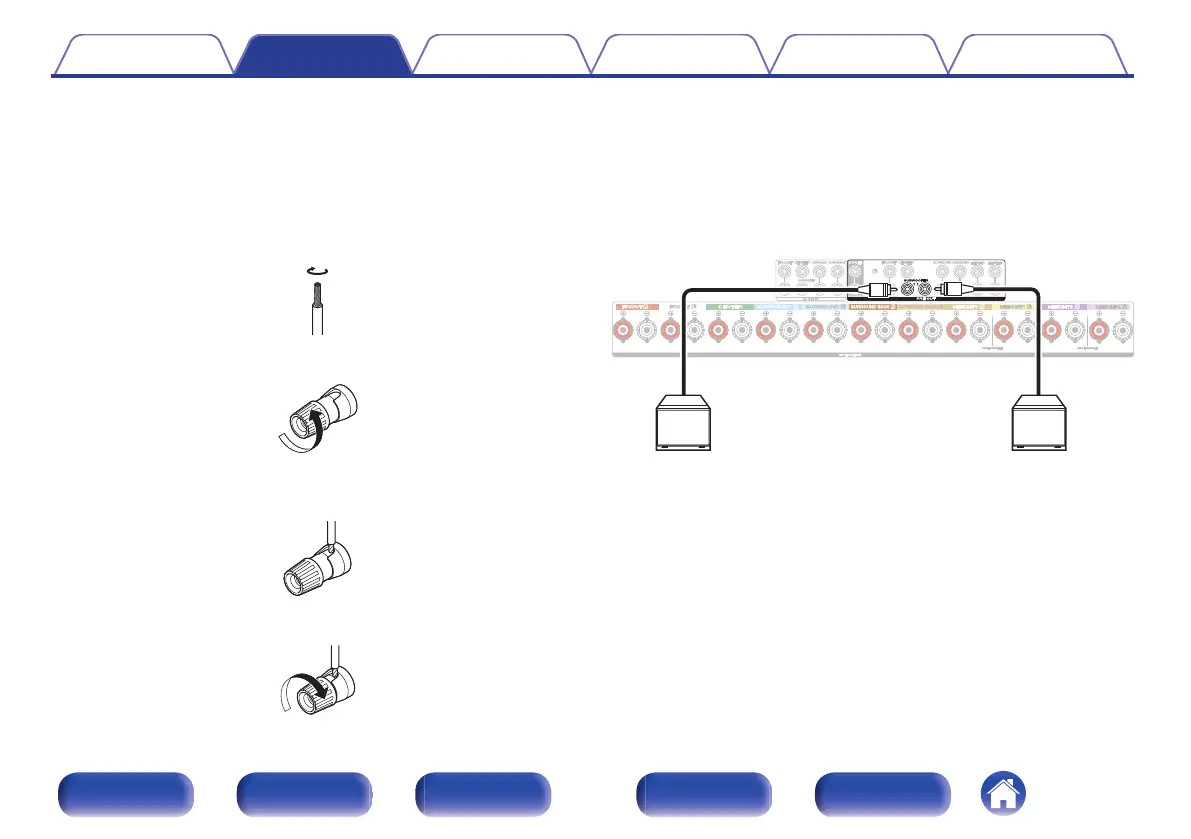
1
Peel off about 3/8 inch (10 mm) of sheathing from the
tip of the speaker cable, then either twist the core wire
tightly or terminate it.
.
2
Turn the speaker terminal counterclockwise to loosen it.
.
3
Insert the speaker cable’s core wire to the hilt into the
speaker terminal.
.
4
Turn the speaker terminal clockwise to tighten it.
.
o
Connecting the subwoofer
Use a subwoofer cable to connect the subwoofer. Two subwoofers can
be connected to this unit.
To use two subwoofers, set “Subwoofer” to “2 spkrs” in the “Speaker
Config.” setting. (v p. 222)
The level and distance can be set separately for Subwoofer 1 and
Subwoofer 2.
.
Contents
Connections Playback Settings Tips Appendix
39
Front panel Display Rear panel Remote Index



 To Next Page