EasyManua.ls Logo

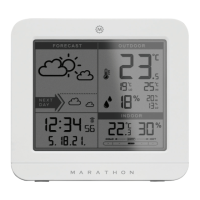
Marathon Paris - Whats in the Box; LCD Screen Layout and Labels; Back Panel Buttons and Functions; Outdoor Sensor Components

Marathon Paris
Print Icon
To Next Page IconTo Next Page
To Previous Page IconTo Previous Page
Loading...
EN
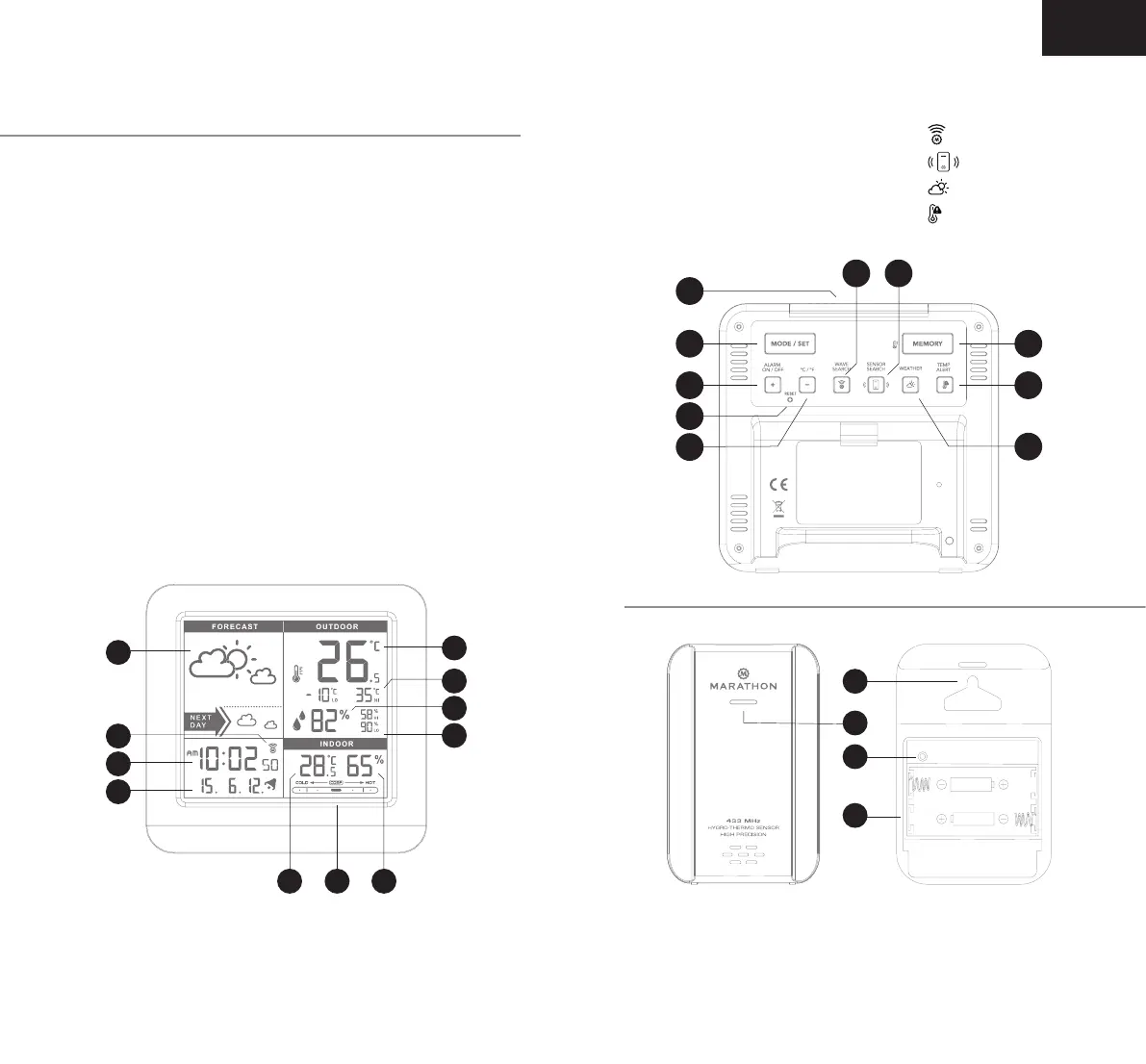
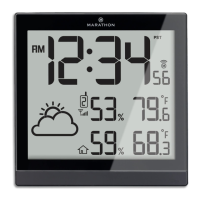
Weather station front LCD screen
A1: Weather forecast
A2: Radio control icon
A3: Time
A4: Date
A5: Outdoor temperature
A6: Outdoor temperature memory
A7: Outdoor humidity
A8: Outdoor humidity memory
A9: Indoor temperature
A10: Indoor humidity
A11: Comfort indicator
What’s in the box
B7 B8
B2
B1
B4
B5
B6
B3
B10
B9
Outdoor sensor/transmitter
C1: Wall Mount Hole
C2: Transmission In
C3: RESET button
C4: Battery
Compartment
C1
C2
C3
C4
Weather station backing
B1: SNOOZE/LIGHT button
B2: MODE/SET button
B3: MEMORY button
B4: +/ ALARM ON/OFF button
B5: RESET button
B6:
- / ºC/ºF button
B7: button
B8: button
B9: button
B10: button
A11 A10
A1
A9
A3
A4
A2
A5
A8
A7
A6

Related product manuals