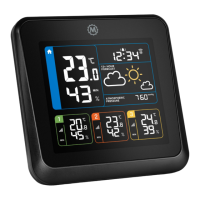
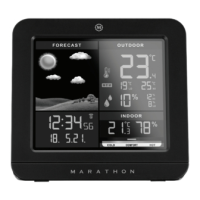
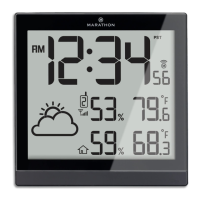
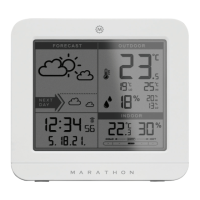
(3) Celsius / fahrenheit
•
Press the °C /°F button to select Indoor/Outdoor
temperature in Celsius or Fahrenheit.
•
The measurable indoor temperature range is
-10°C to + 50°C. If the indoor temperature is out
of the measurable range, LL.L (beyond the
minimum temperature) or HH.H (beyond the
maximum temperature) will be shown on the indoor
temperature column of the LCD.
•
The measurable outdoor temperature range is
-20°C~+ 50°C. If the outdoor temperature is
out of the measurable range, the display will read
LL.L(beyond the minimum temperature) or HH.H
(beyond the maximum temperature).
NOTE: When outdoor temperature is lower than
-20°C, or higher than +50°C, the outdoor sensor unit
might not work properly
(4) Humidity
The measurable indoor humidity range is 20% ~
99%. If the current indoor humidity measurement is
lower than 20%, the LCD would display 20%. The
measurable outdoor humidity range is 0 ~ 99%.
(5) Outdoor temperature alert function
•
Press the button to activate or deactivate the
outdoor temperature alert function.
•
Press the button to:
1. Select the active outdoor upper temperature
alert. The icon will appear beside the outdoor
temperature digit.
2. Select the active outdoor upper & lower
temperature alert. The icon will appear beside
the outdoor temperature digit.
3. Select the active outdoor lower temperature
alert. The icon will appear beside the outdoor
temperature digit.
4. Select the to deactivate the outdoor temperature
alert. The alert icon will disappear.
•
Hold the button for 3 seconds to enter the
outdoor temperature alert setting. The or
icons beside the outside temperature will flash.
Press the + or - buttons to adjust the setting value,
press the button to confirm the setting. The
setting sequences are as follows: upper limit of
temperature, lower limit of temperature.
•
When the alarm sounds, the or icons and the
temperature digits will flash on the LCD. Press any
buttons to stop the alert sound, otherwise, it will
sound for 2 minutes, before stopping automatically.
(6) Comfort indicator bar: for the display of
pleasant/unpleasant climate
It should be better to add the range of temperature
and humidity for pleasant and unpleasant climate.
EN


 To Next Page