NOTE: signal reception is normally better at night and when the weather is
clear. The atomic WWVB signal generally takes a few hours to synchronize.
It is important to set the clock with the correct time zone and turn daylight
savings time on or off, according to where you live to ensure an accurate
time reading after successful WWVB signal reception.
Setting up the clock manually
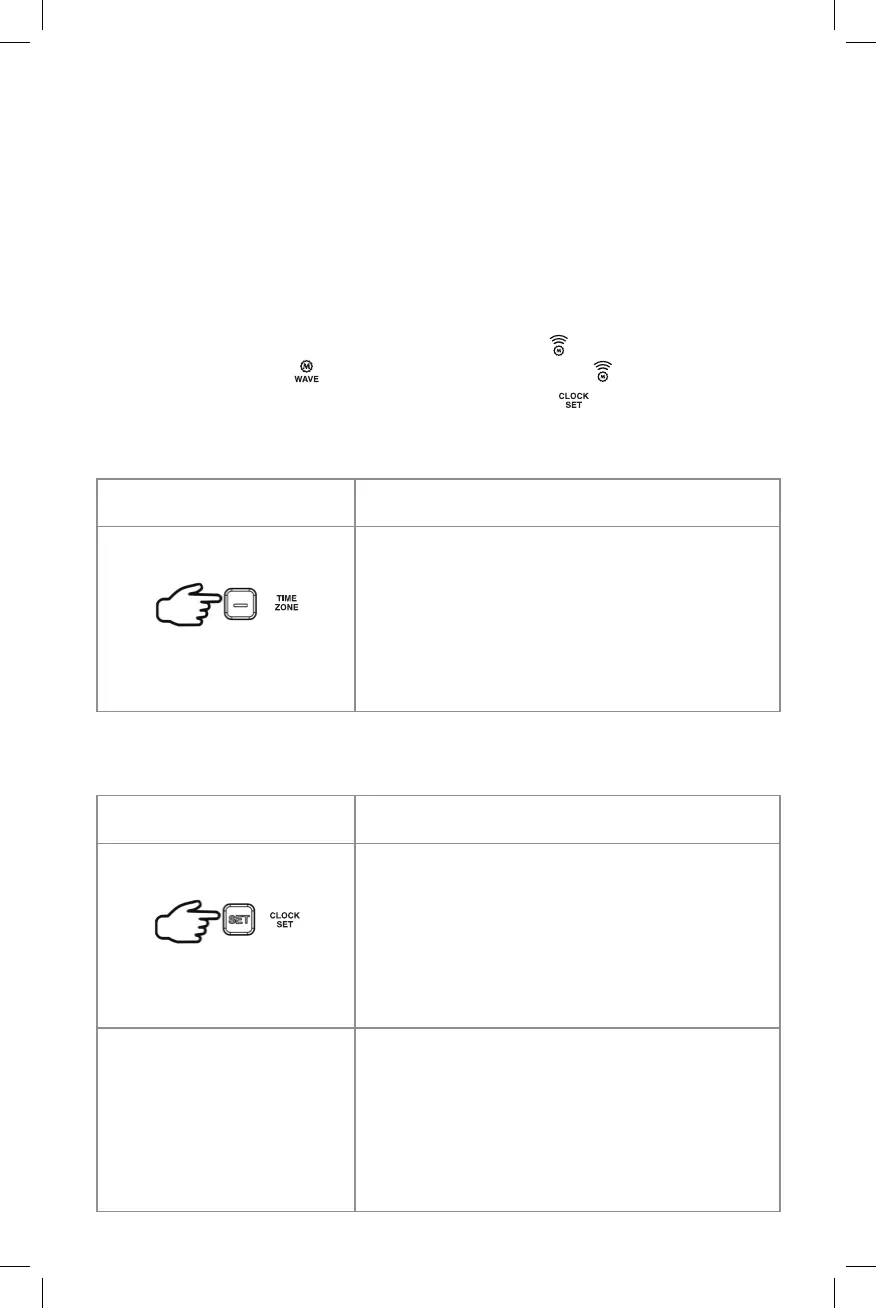
When the clock is searching for the WWVB signal (
icon is ashing), you
can press and hold + /
button to stop the reception (
icon disappears)
and then set the clock manually by holding the SET /
.
Set Time Zone
Set Clock
Button control Steps
•
To enter setup mode.
•
Press and hold the SET button for 3
seconds,
•
Once DST is ashing, press the SET
button again to customize the
following:
Press 0x = SET DST
(DAYLIGHT-SAVING TIME)
Once DST is ashing, press + or – button
to select DST ON or OFF depending
on if you live in an area where DST is
observable or not.
Press and hold for 3 seconds
Button control Steps
Press 1x = SET TIME ZONE
PACIFIC will ash. Press – button to select
desired time zone
Pacic (Default) / Mountain / Central
/ Eastern / Atlantic / Samoa / Hawaii /
Alaska
Press once



 To Next Page