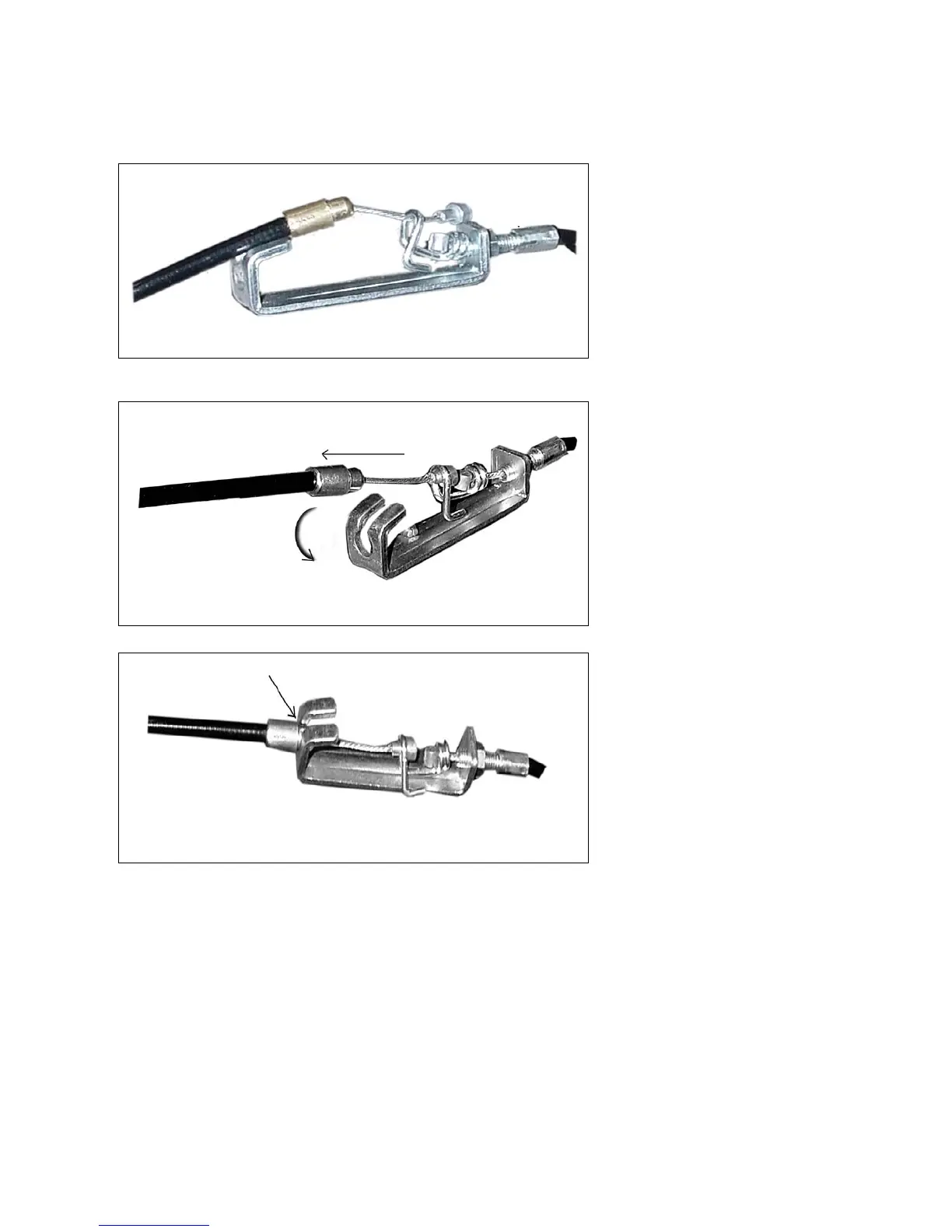
HOW TO CONNECT TENSION CONNECTOR
Slide the Cable wire from the Upper
Tension Connector in between the
opening on the wire holder on the
Lower Tension Connector.
Pull the Upper Tension Connector
backward and slide the wire through
the slot on the bracket.
Drop the Connector down so the
fitting sits firmly on top of the
bracket.
NOTE: In able to hold the Front Post while connecting the cables and wires,extra help
may be needed.



 To Next Page