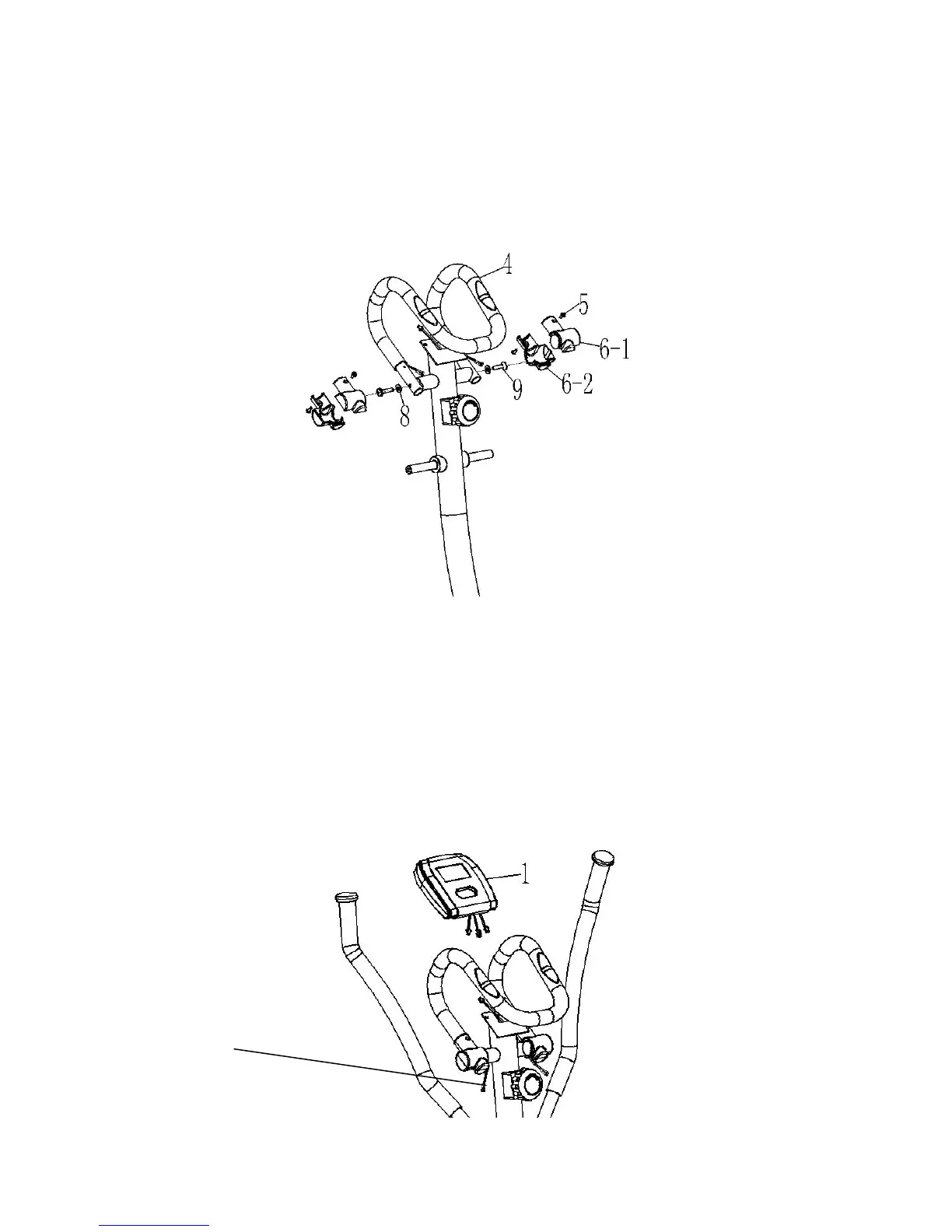
STEP 3
Attach the handlebar (4) onto the handlebar post (22) and secure into position using 2 allan head
bolts (9) and curved washer (8).
Assemble the handlebar covers (6-1 & 6-2) onto the handlebars and secure into position using 4
small screws (5).
STEP 4
Insert the batteries into the back of the computer (1).
Connect the Hand Pulse Wire and Sensor Wire to the back of the Computer. Mount the Computer
onto the top of the Handlebar Post by sliding the computer onto the bracket.



 To Next Page