Data page
On the Data page you can see the product identification (1), the total number
of packs (2), nominal and target weights, and the total weight for the product
(3).
• Use the arrow key to select another product to view its details.
• Press the
CLEAR key (4) to clear data for the displayed product.
• Press the REPORT key (5) to generate a weight report to the scale’s
serial port 1.
• Press the
DEBUG key (6) to switch to the Debug page.
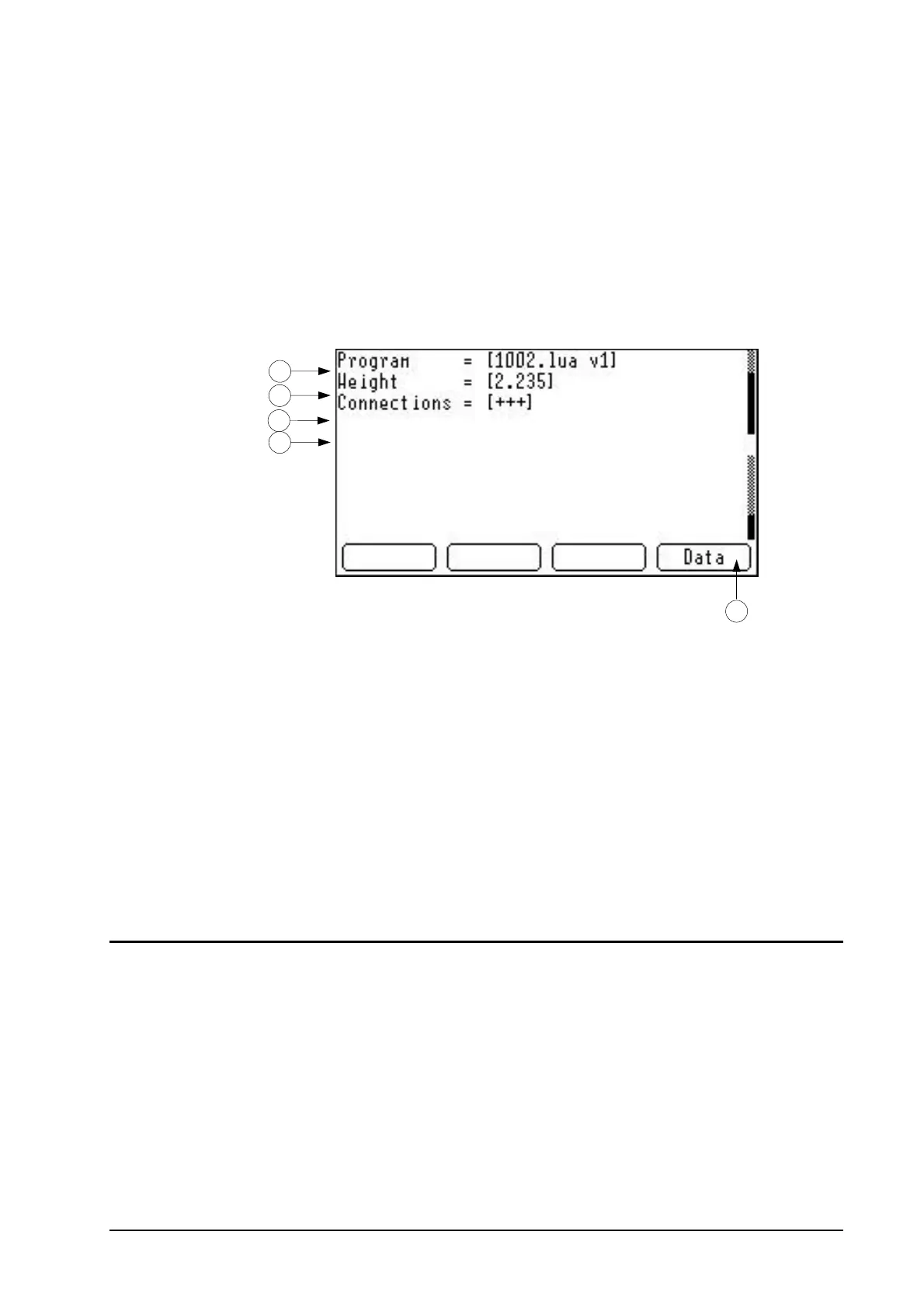
Figure 5 The Application display, the Debug page.
Debug page
The Debug page shows the currently active application’s name and version
number (1), the current weight on the platform (2), and the current state (3)
and emergency number (4).
5
4
3
2
1
Connection status
indicators
• The first character in the connection status string is “+” if there is an
active connection on the message port, otherwise the flag is set to “-”.
• The second character shows the same for the terminal port.
• The third character is “+” if the CAN unit is online, otherwise the flag is
set to “-”.
Press the
DATA key (5) to switch to the Data page.
Host Interface
Specific Interface
Weight message from device
Depending on the weight message options specified (see page 2) a
message can be sent to serial port 1 and the persistent output queue every
time a pack is recorded.
The message format is:
4 • P02 1013 Application M2200 P02



 To Next Page