Series 3 Digital Force Gauges User’s Guide
11
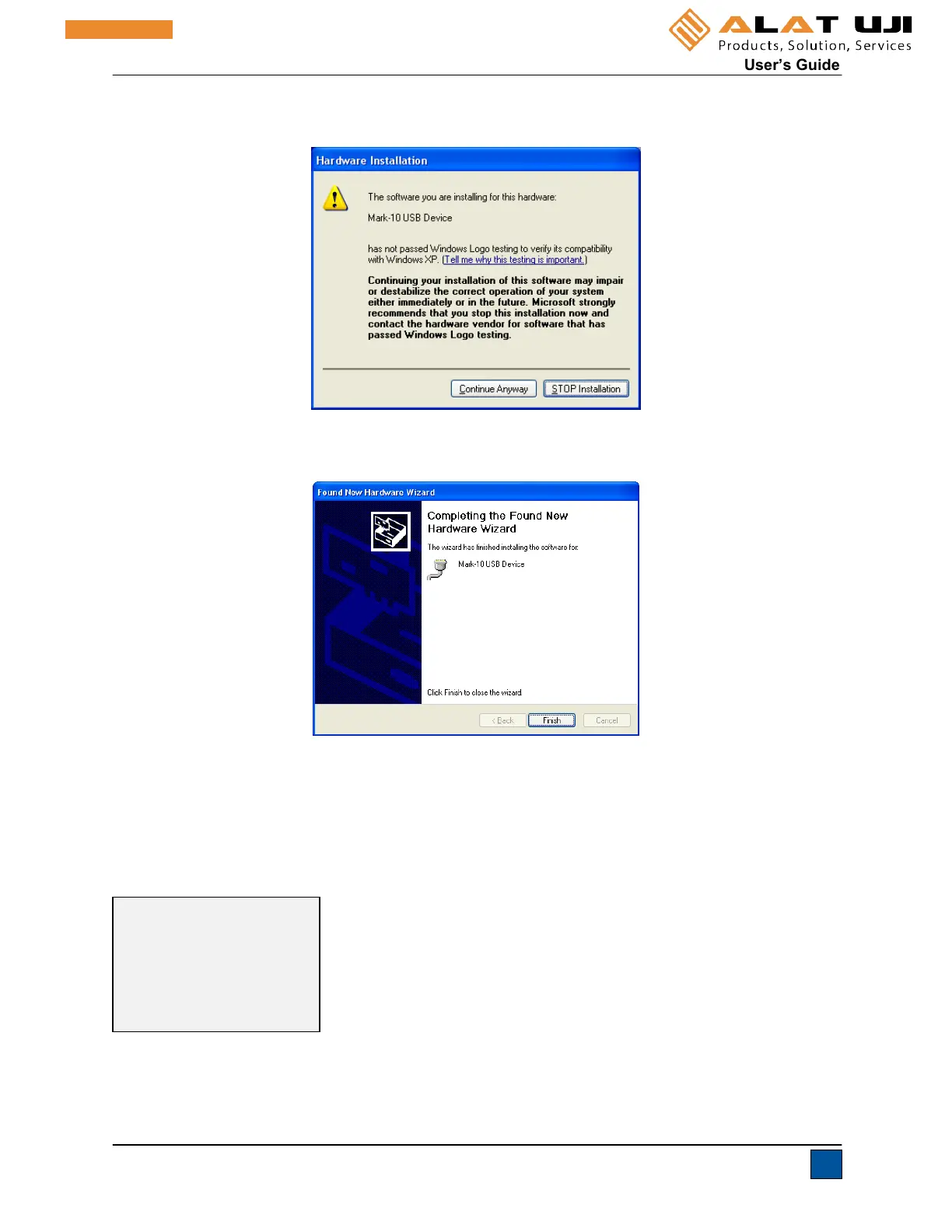
7. The next screen appears as follows:
Click “Continue Anyway”.
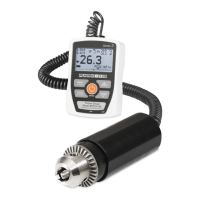
8. The next, and final, screen appears as follows:
Click “Finish”. The Mark-10 USB device is now installed and ready to use. The COM port number
assigned by Windows may be identified in Device Manager, or in the communication application being
used, such as MESURgauge or HyperTerminal.
9.2 Communication Settings
To set up communication settings, select USB Settings from the menu. The screen appears as follows:
USB SETTINGS
+ Baud Rate
+ Data Format


 To Next Page