5
N
O
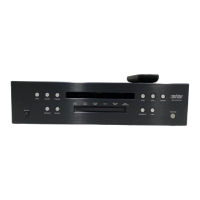
519 AUDIO PLAYER / OWNER’S MANUAL
ENGLISH
GETTING STARTED
FRONTPANEL OVERVIEW
GETTING STARTED
Front-panel controls/indicators
Input knob:
Rotate this knob to select the desired input to send
to the outputs. (Note: the Input knob will bypass any input for
which the Input has been disabled in the
Settings
>
Input Setup
menu.)
IR receiver:
the IR receiver receives commands from the
included remote control when the unit is not being controlled
via its rear-panel IR Input connector (see Rear-Panel Overview
for more information). Infrared communication requires line-
of-sight between the remote and this “target” on the unit’s front
panel.
Bluetooth receiver:
the Bluetooth receiver receives the
Bluetooth stream from the connected device (phone, tablet, or
computer). Bluetooth communication does not require line-of-
sight between the device and this receiver on the unit’s front
panel, but for best range of distance between the two, line-of-
sight is encouraged.
Headphone output connector:
this ¼-inch (6.3mm) TRS phone
plug connector provides a line-level stereo signal that can drive
headphones up to 32 ohms in Class A. When the unit detects
that headphones have been connected, the Balanced and
Single-Ended outputs are automatically muted, and the Volume
knob switches to control of the Headphone output level. When
the unit detects the headphones have been disconnected, the
Balanced and Single-Ended outputs are automatically unmuted,
and the Volume knob returns to control of their level.
play/pause
select
settings
back
stop/ejectmute
volumeinput
next
previous
standby
AUDIO PLAYER N
o
519
headphones
Settings
button
Mute
button
Back
button
Input
knob
Headphone
output
connector
Disc Slot
Select
button
Stop/eject
button
Next
button
Standby
button
Standby
LED
Previous
button
Play/pause
button
Bluetooth
receiver
IR receiver
Volume/value
knob



 To Next Page