CHARGE
8
N
0
5909 HEAPHONE / OWNER’S MANUAL
POWERING ON / OFF
To Power On, Press and hold (>1 second) the ON/OFF button to
power ON. The Left earcup LED will show solid white light while
unit is on - Battery level will be displayed for a few seconds at
startup on Right earcup - Green high charge - Orange medium
charge - Red low charge.
To conserve battery power, the headphones will power OFF after
30 minutes of inactivity (default) - Default can be changed via
the App - 30min, 1HR, 3HRS, NEVER
To conserve battery power, the headphones will power OFF after
30 minutes of inactivity (default) - Default can be changed via
the App - 30min, 1HR, 3HRS, NEVER
To manually Power O, Press and hold (>1 second) the ON/OFF
button, White light will go o and the charging LED will ash
Red twice.
CHARGING
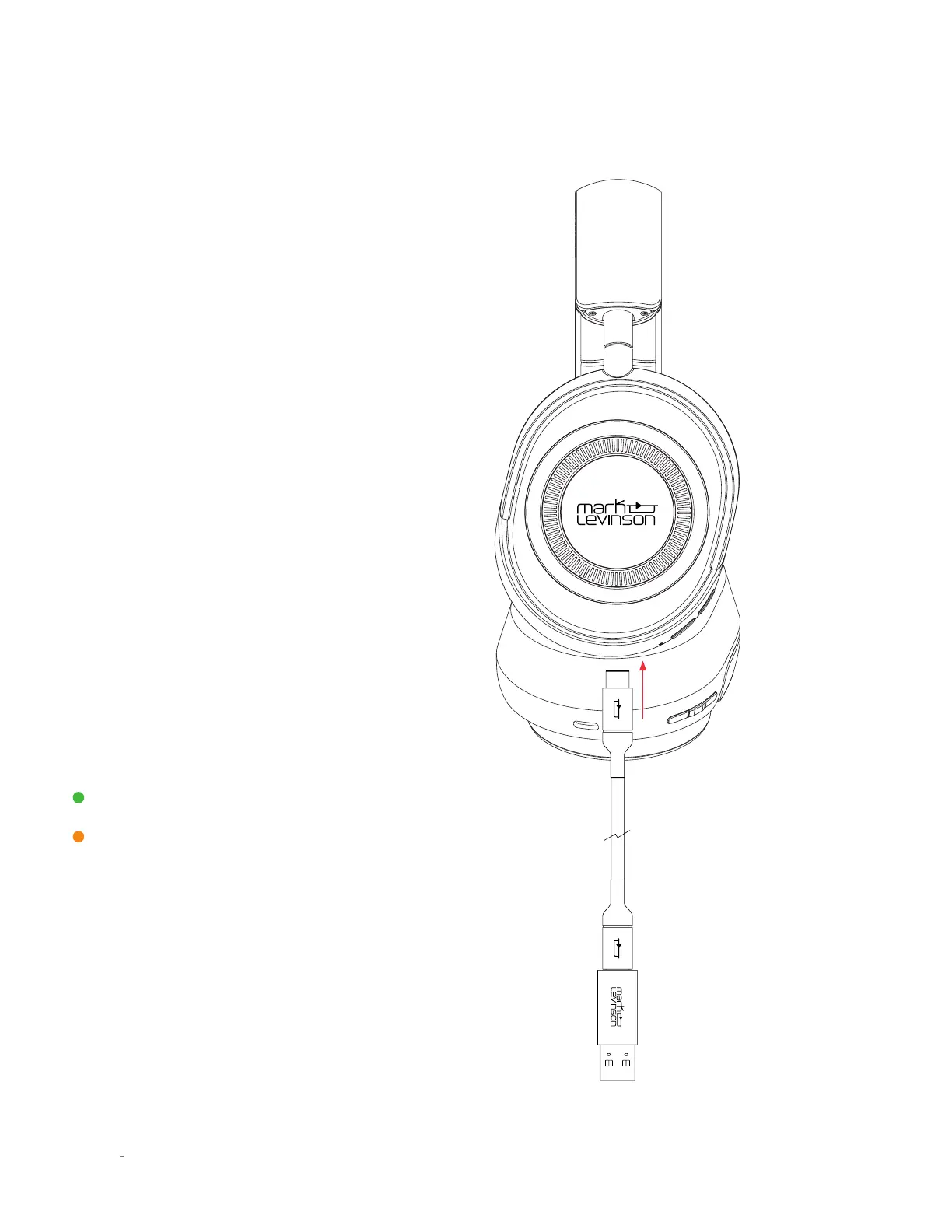
To charge, plug in the USB-C Connector and connect to a
powered USB-A port
NOTE: The headphones power OFF when charging.
Headphones cannot charge and play at the same time.
A solid orange light on the left earcup indicates charging and
a solid green light indicates a full charge when the USB cable is
connected.
Fully Charged
Charging



 To Next Page