Mark White Air Conditioning Installations Page 4 of 10
Phone: 966719362 : 647171531
Web: markwhite.supanet.com
Email: markwhite@supanet.com
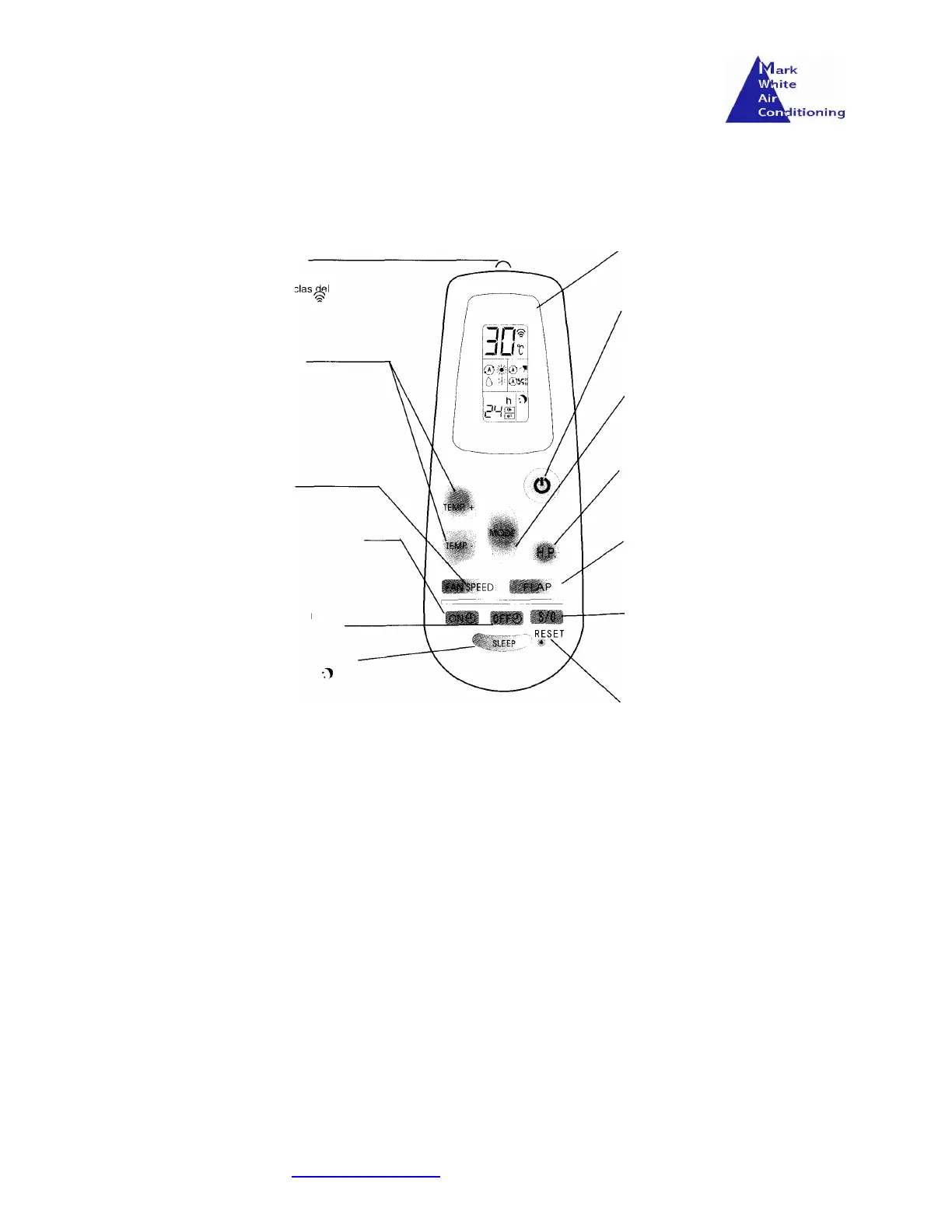
Remote Control Layout
Functions of the Remote Control
Signal transmission
Temperature
adjustment keys +/-
Fan Speed
Program Start
Program Stop
Selects Night Operation
LCD Screen
Indicates the selection controls
Start/Stop key
Pres this key to start the unit. Pres
again to stop the unit
Mode selection
Press this key to select the mode
of operation (heat/cold/ventilation &
dehumidify)
High Power Function
Use this key to make the unit
work its maximum capability.
Flap Adjustment
Allows the modification for angle
of flap for the interior unit.
Programmer Adjustment
This key is used to adjust the
hour the unit is started or
stopped.
Reset button
Used when the batteries are
changed



 To Next Page