Mark White Air Conditioning Installations Page 8 of 10
Phone: 966719362 : 647171531
Web: markwhite.supanet.com
Email: markwhite@supanet.com
Programming Start/Stop functions
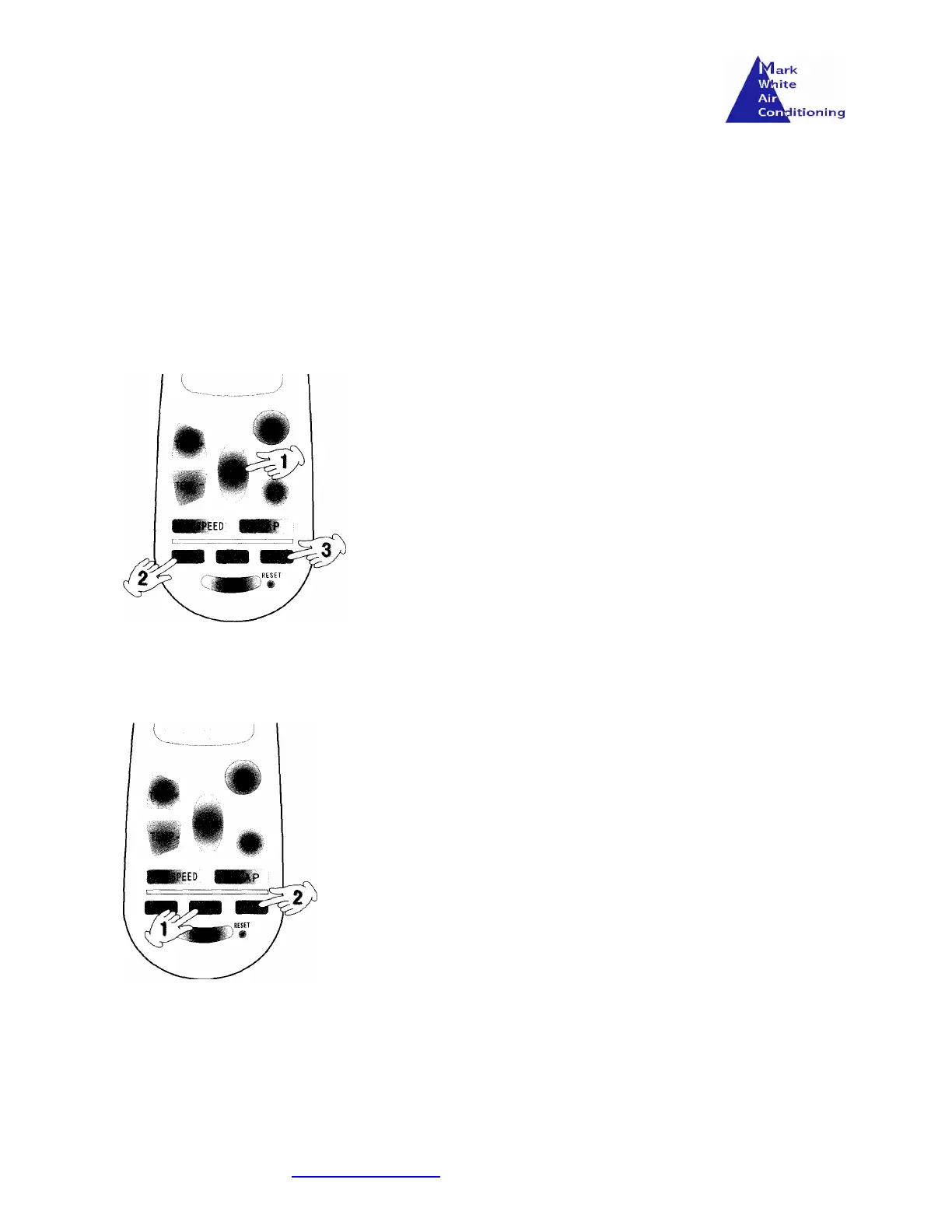
The unit can be programmed to start and run for a specific duration or programmed to wait for a specified time before starting.
The procedure for setting the start and run program.
Programming wait function
Programming
Start Function
• Select the MODE, TEMP, FAN SPEED & FLAP required
• Press the ON
button and the ON symbol should appear ‘blinking’ in
the LCD screen.
• Starting from then, any further pressing of the key will increase the
unit duration by one hour.
• Once required duration has been reached, press the key S/C key and
the ON symbol should stop ‘blinking’.
• The unit should run for the specified time.
To Cancel the programming
symbol should disappear from the LCD screen
The procedure for setting the wait and then run function.
• Select the MODE, TEMP, FAN SPEED & FLAP as required.
• Press the OFF
button and the OFF symbol should appear
‘blinking’ in the LCD screen.
• Starting from then, any further pressing of the key will increase the
unit wait duration by one hour.
• Once required wait duration has been reached, press the key S/C
key and the OFF symbol should stop ‘blinking’.
• The unit should run after the specified wait time has been
reached.
To Cancel the programming
Press the S/C key. The OFF symbol should disappear from the LCD
screen.



 To Next Page