Note:
• For long breaks during programming, the
signal terminates the programming mode
without a change. In this case, start from the
beginning again with the complete addressing
procedure. While addressing is taking place,
ensure that the breaks between the individual
keyboard commands are not too long.
• Once the programming has ended or has
been cancelled, the signal switches to dem-
onstration mode after a few seconds. In this
mode, various signal aspects of the respective
signal type are displayed.
•
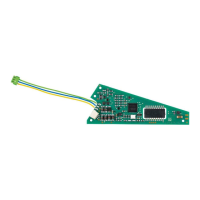
The control electronic circuit must be removed
from the packaging before testing the signal.
注意:
•
設定中に作業を30秒以上止めると、信号機はアド
レス設定モードを終了してしまいアドレスも設定さ
れません。その場合は、手順を最初からやり直し
てください。アドレス設定中は、各動作に時間をか
けすぎないようにしてください。
•
設定が完了するかキャンセルされると、数秒後か
ら信号機 は
デモンストレーションモードになりま
す。そのモードにな ると、信号機は、各現示を交
互に繰り返します。
•
設定が終わりテストする前に、信号制御モジュー
ルからプ ログラミングピ
ン(ボール紙にはさまれた
針金状のもの)を外 してください。
9



 To Next Page