Need help?
Do you have a question about the Marksman EXTREME X7 and is the answer not in the manual?
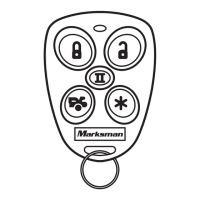
Procedure for using the transmitter to lock and arm the security system, including confirmation signals.
Using specific button combination for silent arming/disarming confirmation via parking lights only.
Indication of a open hood, door, or trunk when the siren chirps three times.
Bypassing the shock sensor for a single arming cycle using the transmitter.
System automatically arms 30 seconds after the last door is closed, confirmed by LED and siren.
Vehicle doors automatically lock after the automatic arming cycle is completed.
Temporarily bypassing automatic arming using the transmitter, indicated by LED and chirp.
Procedure to unlock and disarm the security system using the transmitter.
Indication of tampering with the system, resulting in specific siren chirps and light flashes.
Parking lights activate for 30 seconds upon disarming and 10 seconds upon arming.
Unlocks driver's door first, then all doors within 3 seconds of disarming.
System automatically re-arms 60 seconds after disarming if no doors are opened.
Procedure to enter Valet mode by turning ignition on and holding the valet switch.
Procedure to exit Valet mode by turning ignition on and holding the valet switch.
Using transmitter panic button to manually trigger the alarm in emergency situations.
System response to light and heavy impacts, door openings, and ignition status.
Interior lights remain on for 30 seconds upon disarming or flash during intrusion.
Automatic vehicle door locking/unlocking based on ignition status.
Activating the trunk release or other electronic devices using the transmitter.
Activating car locator function to identify vehicle location via siren and light flashes.
Important safety precautions for operating the remote start system.
Step-by-step guide to starting the vehicle's engine remotely using the transmitter.
Instructions for operating the vehicle after it has been started remotely.
Feature allowing the vehicle to remain running after ignition key removal.
Programming the system to start the engine automatically at set intervals.
Conditions that prevent the engine from starting or cause it to shut down.
Temporarily disabling the remote start unit to prevent accidental starting.
Keeping the engine running for a set period to cool down the turbo.
Table detailing siren chirp patterns and their corresponding functions.
Table detailing parking light flash patterns and their corresponding functions.
Summary of siren, parking light, LED, door, starter, and dome light indications.
Table detailing LED status patterns and their corresponding functions.
Details on 3-volt CR2032 lithium battery replacements for transmitters.
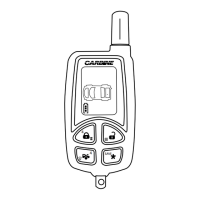
Description and price for a 4-button transmitter with SAW technology.
Descriptions and prices for 6-Tone, 118dB and 130dB sirens.
Form for ordering parts and accessories via mail or credit card.
Chart detailing shipping and handling costs based on order subtotal.
Details on what the limited lifetime warranty covers for the receiver section.
Conditions and items not covered by the limited lifetime warranty.
Details on the standard 12-month warranty for sirens, transmitters, and harnesses.
Magnadyne's liability limitations for consequential or incidental damages.
Procedure for returning defective merchandise to Magnadyne Corporation.


 To Next Page

 General