Need help?
Do you have a question about the Marksman X4 and is the answer not in the manual?
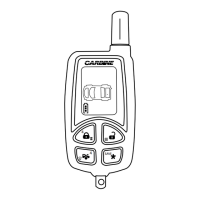
Explains the meaning of icons displayed on the 2-way LCD remote control.
Instructions for replacing the battery in the LCD remote transmitter.
Explains the meaning of various LED light patterns for system status.
Summarizes system behavior across different functions like arming, disarming, and triggers.
Details the process of manually arming the security system and locking doors.
Explains how to arm/disarm the system without audible chirps.
Explains the optional automatic arming feature that arms the system after a delay.
Details the process of manually disarming the system and unlocking doors.
Provides a method to disarm the system without a transmitter.
Temporarily bypasses alarm functions for service personnel.
Allows manual triggering of the alarm system for emergencies.
Details the anti-car jacking feature, including activation and override procedures.
 General
| Range | Up to 3000 feet |
|---|---|
| Remote Start | Yes |
| Keyless Entry | Yes |
| Type | 2-Way |
| Alarm Features | Starter Kill |

 To Next Page