Page 1 of 2
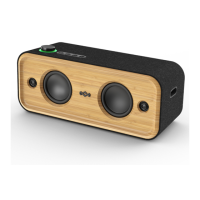
Instructions to use Marley ‘Get Together 2’ Bluetooth® speaker
SWITCHING ON and CONNECTING
1. If not ON, switch on power by pressing power
button for 2 seconds. (Green LED below on/off
button will temporarily illuminate)
NOTE: The power button is found on the back of the
speaker).
2. It automatically will enter Bluetooth pairing mode
with the Blue LED on the top of the speaker unit
flashing for the next few minutes.
3. On your Smart phone / Tablet connect to the
Bluetooth device named “Get Together 2”
Note: You will need to do this each time you use the system.
Your welcome, to switch the power off if you would
like to conserve power. However, you don’t need to do
anything and can just leave the unit as is, ready for the
next person.
1. Switch OFF power by pressing power button for 2
seconds. (The power button is found on the back
of the speaker).
NOTE: That if not paired the speaker will power down
after about 5 minutes.

 Need help?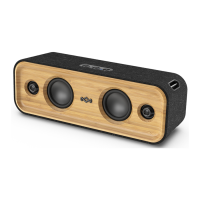

 To Next Page
 General