Need help?
Do you have a question about the Marley GET TOGETHER DUO and is the answer not in the manual?
Details LED indicators for connectivity and power status on the left speaker.
Details LED indicators for connectivity and power status on the right speaker.
Explains button functions and symbols for the left speaker.
Explains button functions and symbols for the right speaker.
Steps to resolve issues when speakers fail to connect wirelessly.
Solutions for audio playback problems when using wired connections.
 General
| Speaker Configuration | 2.0 |
|---|---|
| Bluetooth Version | 5.0 |
| Battery Life | 20 hours |
| Charging Time | 4 hours |
| Frequency Response | 20Hz - 20kHz |
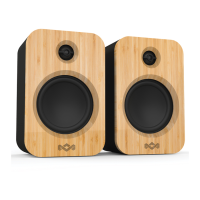
| Material | Bamboo and Rewind Fabric |
| Water Resistance | IPX4 |
| Type | Bookshelf |

 To Next Page