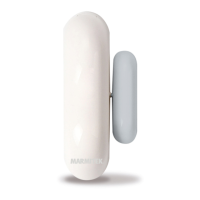
5DS90
USING THE DOOR/WINDOW SENSOR
1. Open the casing by removing screw (4).
2. Insert the batteries (2xAAA, alkaline) into the battery
compartment. Do not forget to check the polarity.
3. Set the switch for entry delay (5) to MIN when you have
installed the sensor on a window and on MAX when the
sensor is installed on a door. When the switch is set to
MAX, you have time to open and close the door without
triggering the alarm. If you want an instant alarm (on e.g.
the backdoor), set the switch to MIN.
4. Keep the tamper contact (9) on the transmitter pressed for
4 seconds. Release the button. The door/window sensor
has now chosen a unique code, which can be registered
with your console.
REGISTER THE DS90 DOOR/WINDOW SENSOR
You need to register the DS90 door/window sensor with
your TotalGuard/SafeGuard/Protector system. Your system’s
user guide will show you how to do this. If you do not have
a user guide at hand, you can download one from
www.marmitek.com (customer service -> manuals).



 To Next Page