- 8 -
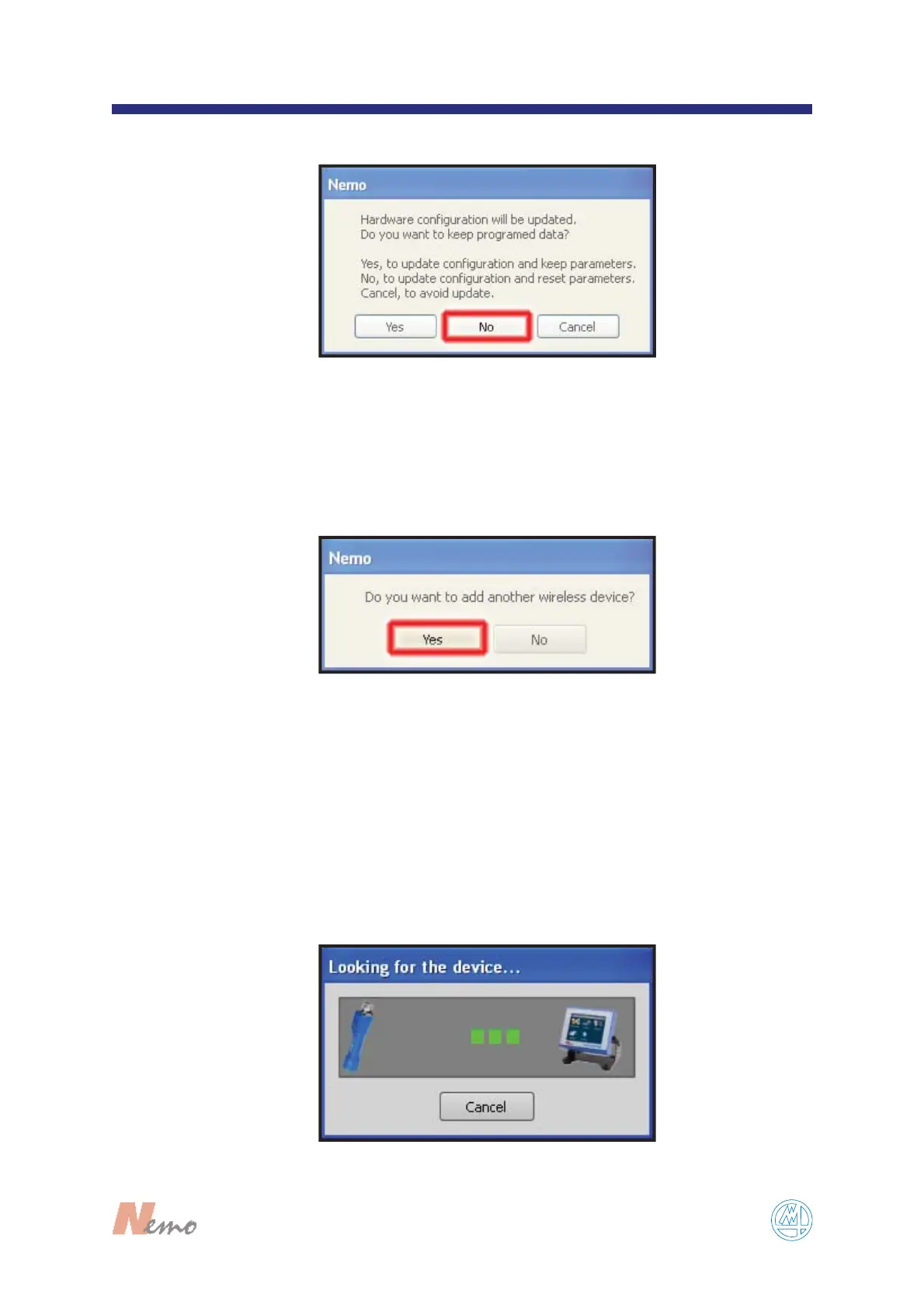
Tap on “NO” in the following window (see FIGURE 5).
Wait few seconds to recognize the device (see F
IGURE
5b). After that, the new device is ready to use.
5
FIGURE 5
F
IGURE 5a
F
IGURE 5b
5
a
5
b
Tap on “YES” if you like to add a wireless Marposs
wave device (see F
IGURE 5a).
After that, select the correct wireless Marposs wave device, setting all
parameters required. When it’s requested, perform the binding operation on
the device selected.
If a Bluetooth® key dongle is not connected to the Nemo, go to the step 6.
Otherwise keep on as follows:
Note: For more information about binding consult the Software Manual.


 To Next Page