- 9 -
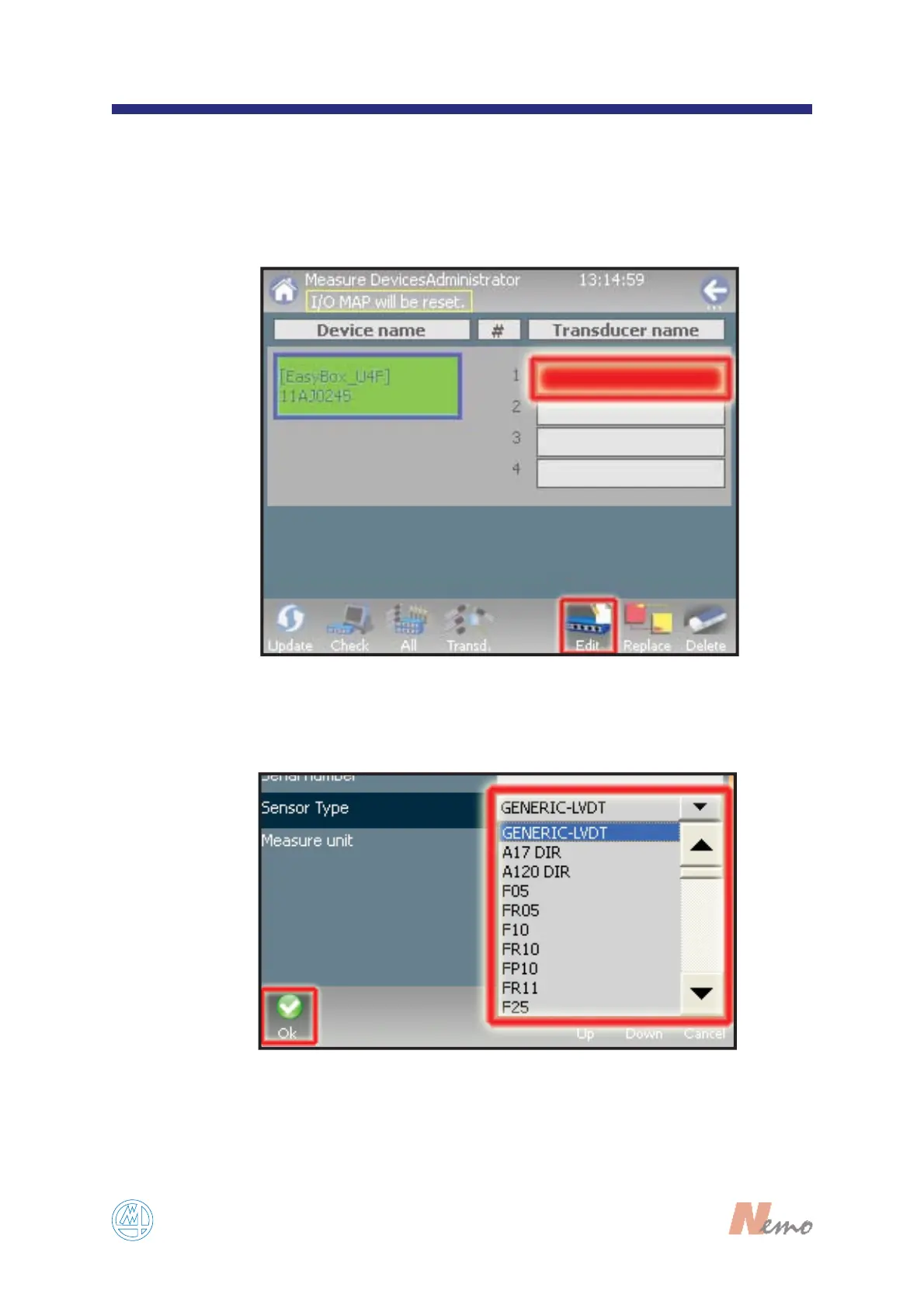
After Nemo has automatically recognized the
devices connected, it may be necessary to enable
and connect the highlighted/selected transducer/
sensor to device. Double tap on the red field or tap
on the “E
DIT” button (see FIGURE 6).
6
FIGURE 6
7
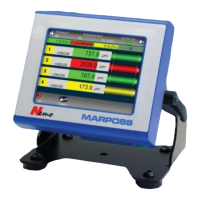
Select the transducer from the dropdown list and tap
on “O
K”(see FIGURE 7).
FIGURE 7


 To Next Page