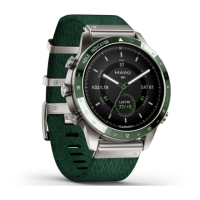
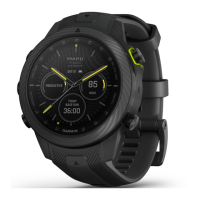
2 MARQ Golfer (Gen2)
EN
NOTE: This feature is not available
on all watch faces.
• Swipe up or down to scroll through
the glance loop and menus.
• Swipe right to return to the
previous screen.
• Cover the screen with your palm to
return to the watch face and turn
down the screen brightness.
LIGHT
• Press to turn on the watch.
• Press to turn down the screen
brightness.
• Quickly press twice to turn on the
flashlight.
• Hold to view the controls menu.
UP·MENU
• Press to scroll through the glance
loop and menus.
• Hold to view the menu.
DOWN
• Press to scroll through the glance
loop and menus.
• Hold to view the music controls
from any screen.
START·STOP
• Press to choose an option in a
menu.
• Press to view the activity list and
start or stop an activity.
• Hold to open the performance
glance.
BACK·LAP
• Press to return to the previous
screen.
• Press to record a lap, rest, or
transition during a multisport
activity.
• Hold to view the watch face from
any screen.
Enabling and Disabling the
Touchscreen
y To temporarily enable or disable
the touchscreen, hold DOWN and
START.
y To enable or disable the touchscreen
during general use, activities, or
sleep, hold MENU, select System >
Touch, and select an option.


 To Next Page
 Loading...