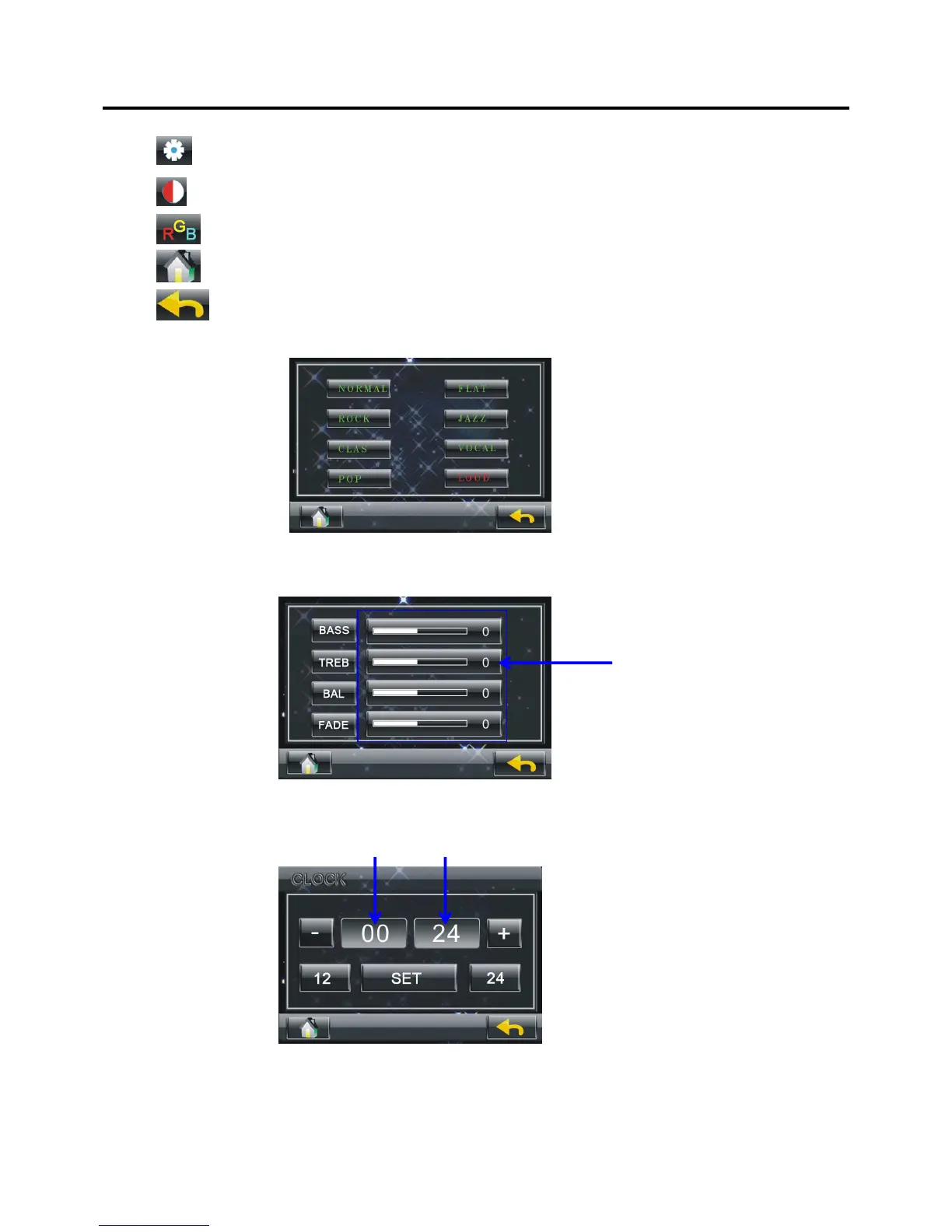
--- Brightness adjustment
--- Contrast adjustment
--- RGB (Chroma) adjustment
--- click to back to main menu interface.
--- click to current mode, such radio, DVD…
※
EQ
Click the different icon on the picture to select t
he corresponding equalization mode.
※
Voice
The value bar
Use the value bar to adjust the value of the BASS,
TREB, BAL and FADE mode.
※
CLOCK
The hour The minute
Click 12 or 24 to choose 12 hour time format or 24
hour time format.
Click the hour or the minute that you want to chang
e, then use the ‘-‘ and ‘+’ to adjust the value.
Click SET to confirm the time setting.
MENU OPERATION
30



 To Next Page