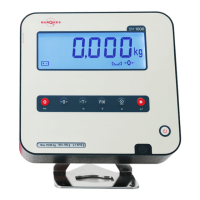
USER GUIDE - BM1000BM1000 – USER GUIDE
EN EN
12 /2018, REV.1.0 98 11/2018, REV.1.0
Primary key function Alternate function Display symbols
Shift / Status Esc / Exit
Battery operation
Zero weight
Fix Tare
Tare Left / Back
Tare
Fix Tare Down
Net Weight
Print / Send data Up
Stable Weight
Confirmation
Zero Weight
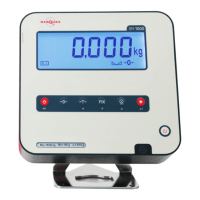
DISPLAY AND KEYBOARD
Power On / Off
POWER ON AND OFF
Press the key for at least 2 seconds until the equipment is switched on and
release it. Wait for the test countdown to end and present a zero-weight value.
To switch off, press for at least 2 seconds until power goes OFF.
...
VIEW
1
6
9
5
2
3
8
1
4
5
6
9
7
K
C
S2
A
B
F
D
S1
01 Shift / Status A RS232 #2
02 Zero Weight B RS232 #1
03 Tare C Load Cell #2
04 Fix Tare D Load Cell
05 Print / Send Data F Power IN
06 Confirmation K Cal. Key
07 Power On / Off S1 Enclosure Seal
08 Display S2 Calibration Seal
09 Metrological Data


 To Next Page