EasyManua.ls Logo

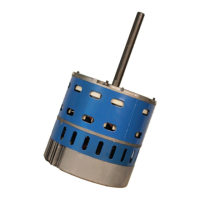
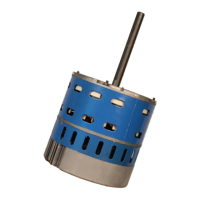
Mars Azure Digi-Motor - User Manual

Mars Azure Digi-Motor
40 pages
Print Icon
To Next Page IconTo Next Page
Loading...
Digi-Motor
®
Installation Guide
MARS No. 10860/10861
®
marsdelivers.com

Questions and Answers

  • W
    William JamesJul 28, 2025
    How to troubleshoot a Mars Azure Digi-Motor motor that does not run?
    • Z
      Zachary CollinsJul 28, 2025
      If the Mars Engine motor isn't running, start by checking for line voltage power across the motor leads. Ensure the motor is set up for the correct voltage using the voltage jumpers. Check the electrical continuity through the surge suppressor by removing it and testing the Line and Neutral leads; replace it if it's faulty, or remove it and reconnect the harness. Make sure the motor is connected to a blower wheel load and is correctly configured (PSC or X-13) for the application. If in X-13 mode, ensure the motor has power and a 24V signal on the speed tap.
  • J
    Jared GutierrezAug 6, 2025
    What to do if the Mars Azure Digi-Motor Engine motor does not stop during auto sizing?
    • H
      Hector PerezAug 6, 2025
      If the motor doesn't stop during auto sizing, the load might be too great for the motor. You can try setting speeds with a handheld programmer or use a 1 HP Azure® (10861).
  • P
    Patrick JohnsonAug 16, 2025
    Why do the Mars Engine motor speed taps not provide correct airflow?
    • B
      brenda20Aug 17, 2025
      If the motor speed taps on your Mars Engine aren't providing the correct airflow, verify that you're using the correct Azure® motor size (10860 1/5 - 1/2 HP, 10861 1/2 - 1 HP). Also, check that all supply registers and return grills are open and unobstructed, and that the air filter is clean. Ensure all zones are open. You might also re-perform the auto size function as described in the CONNECTING & AUTO SIZING section. If needed, use the optional handheld programmer (MARS No. 08502) to adjust speeds.

Summary

Product Description

Safety

Provides critical safety information and warnings for installation and operation, including precautions and temperature ranges.

Removing The Old Motor

Configuring The Azure Digi-Motor

Details the process of securely mounting the Azure Digi-Motor using a bellyband and orienting the power harness correctly for optimal performance and protection.

Connecting & Auto Sizing For PSC Applications

Connecting & Auto Sizing For X-13 Applications

Checking System Operation

Adjusting Motor Speeds

Operating The System In Constant Fan Mode - Excluding X-13 Applications

Operating The System In Constant Fan Mode - X-13 Applications

Troubleshooting

Typical Connections For PSC Applications

Typical Connections For X-13 Applications

Mars Azure Digi-Motor Specifications

General IconGeneral
BrandMars
ModelAzure Digi-Motor
CategoryEngine
LanguageEnglish

Related product manuals