EasyManua.ls Logo

Mars COMFORT-AIRE BHD-22A - User Manual

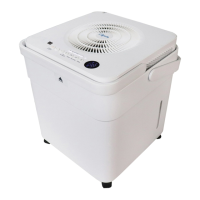
Mars COMFORT-AIRE BHD-22A
12 pages
Print Icon
To Next Page IconTo Next Page
Loading...
www.marsdelivers.com
BHD-22A
BHD-35A
BHD-50A
BHDP-50A
BHDP-60A
Wireless Control Manual
Dehumidiers
with and without Pumps
Question and Answer IconNeed help?

Do you have a question about the Mars COMFORT-AIRE BHD-22A and is the answer not in the manual?

Summary

Product Specifications

Safety Precautions and System Notes

System Compatibility and Wireless Security

Details system compatibility (iOS/Android) and wireless security protocols.

Operational Cautions and Notes

Advises on network issues, camera requirements, and app update notices.

App Download and Installation

User Account Registration

Account Creation Process

Steps for registering a new user account via email or third-party login.

Wi-Fi Network Configuration

Bluetooth Scan Network Setup

Steps for configuring network connection using Bluetooth scan method.

Network Setup Cautions

Important notes on network setup, including time limits and general cautions.

Appliance Type Network Setup

Using the Mobile App

App Sign-in and Device Selection

Guide to signing in, selecting the dehumidifier, and checking bucket status.

Mobile App Feature Explanations

Details on Power, Fan, Continuous, Auto Dehumidification, and other modes.

Advanced App Functions

Setting Schedules

Setting weekly appointments to turn dehumidifier on/off and choose circulation.

Device Sharing Feature

Enabling Multi-User Access

Enabling control by multiple users via the Share Device function.

FCC and Regulatory Declaration

Overview

This document outlines the features and usage of the Comfort-Aire Wireless Control Manual for Dehumidifiers, covering models BHD-22A, BHD-35A, BHD-50A, BHDP-50A, and BHDP-60A. The manual details the specifications, precautions, application download and installation, user registration, network configuration, app usage, special functions, and an FCC/IC declaration.

Function Description:

The Comfort-Aire dehumidifiers, controlled wirelessly via a mobile application, are designed to manage humidity levels in various indoor environments. The wireless control manual provides instructions for setting up and operating these dehumidifiers remotely. Users can turn the dehumidifier on/off, select operation modes (e.g., continuous, auto dehumidification, dryer, anti-mould, pure), adjust target humidity, and control fan speed. The system also supports scheduling for automated operation and device sharing for multi-user control. The dehumidifiers are available with and without pumps, catering to different drainage needs.

Important Technical Specifications:

The wireless control system utilizes a Smart Kit with specific technical parameters:

  • Unit Model: XXXXXX (placeholder)
  • WIFI Module Model: EU-SK105/US-SK105
  • Standard: IEEE 802.11b/g/n
  • Antenna Type: Printed PCB Antenna
  • Frequency: WLAN 2400~2483.5 MHz
  • Operation Temperature: 0°C~45°C (32°F~113°F)
  • Operation Humidity: 10%~85%
  • Power Input: DC 5V/300mA
  • Maximum Transmitted Power: <20dBm
  • Applicable System: iOS, Android (APP compatibility may vary, and users are advised to keep the APP updated).
  • Wireless Safety Strategy: Supports WPA-PSK/WPA2-PSK encryption and none encryption; WPA-PSK/WPA2-PSK is recommended.
  • Smart Phone Camera Requirement: 5 million pixels or above for effective QR code scanning.

Usage Features:

The wireless control system offers a range of user-friendly features through its mobile application:

  • App Download and Installation: Users can download the "Nethome Plus" app from Google Play (Android) or APP Store (iOS) by scanning a dedicated QR code or searching directly.
  • User Registration: Requires mobile device connection to a Wi-Fi/Wireless router with internet access. Users can create an account using their email address and password, with an option to activate the account via email for password recovery. Third-party account logins are also supported.
  • Network Configuration:
    • Bluetooth Scan: The recommended method. Users press "+" and "Add Device" in the app, then "Scan for nearby devices." The app will discover smart devices, allowing users to select their home Wi-Fi network and enter the password. The dehumidifier must be in "AP" mode (achieved by pressing and holding the "FILTER" button for more than 3 seconds until "AP" is displayed).
    • Select Appliance Type: An alternative method if Bluetooth configuration fails. Users select "Dehumidifier" from the appliance type list. This method involves following on-screen instructions to put the dehumidifier into "AP" mode. Android users can then choose to "Scan QR code on the unit" or "Manual Setup." iOS users typically proceed directly to connecting to the dehumidifier's wireless network.
    • Configuration Success: Upon successful configuration, the device will appear on the app's list, and its status will change to "online." If the device remains "offline," users should refresh the device list or power cycle the dehumidifier.
  • App Control (HOW TO USE APP):
    • Sign In: Users sign in to the app.
    • Choose Dehumidifier: Select the dehumidifier from the "Welcome Home!" screen.
    • Bucket Full Alert: The app displays a "Bucket is full" alert when the water bucket needs emptying.
    • Control Icons: From left to right, icons represent Power, Fan, Continuous, Auto Dehumidification, Dryer, Anti-mould, and Pure modes.
      • Power: Turn the dehumidifier on/off.
      • Fan Mode: Activate high, medium (on some models), or low fan speed.
      • Continuous Mode: Activate/deactivate continuous operation.
      • Auto Dehumidification Mode (on some models): Activate/deactivate automatic dehumidification.
      • Dryer Mode (on some models): Activate/deactivate dryer function.
      • Anti-mould Mode (on some models): Activate/deactivate anti-mould function.
      • Pure Mode (on some models): Activate/deactivate pure function.
    • Humidity Control: Adjust target humidity within the range of 35%RH-85%RH using a white pointer. A yellow pointer indicates current indoor humidity.
  • Special Functions:
    • Schedules: Users can set weekly appointments to turn the dehumidifier on or off at specific times, with options for circulation control.
    • Share Device: Allows multiple users to control the dehumidifier simultaneously. The primary user can share the device by generating a QR code, which other users can scan after logging into the "Midea Air" app and selecting "Add Shared Device."

Maintenance Features:

While the manual does not explicitly detail maintenance features, it implies that the app provides status updates (e.g., "Bucket is full"), which are crucial for timely maintenance actions like emptying the water bucket. The "FILTER" button, used for network configuration, might also be related to filter maintenance reminders, though this is not explicitly stated as an app feature. The system's reliance on a stable internet connection and updated app versions suggests that software maintenance (updates) is important for optimal performance.

Declaration of Conformity:

The Smart Kit complies with the essential requirements of Directive 2014/53/EU. The device also adheres to FCC Part 15 rules and Innovation, Science and Economic Development Canada's licence-exempt RSS(s). It is designed to operate without causing harmful interference and to accept any interference received. Users are advised to operate the device according to instructions and avoid unauthorized modifications. The device meets radiation exposure limits, requiring a minimum human proximity of 20cm (8 inches) to the antenna during normal operation. The company disclaims liability for issues caused by internet, Wi-Fi/Wireless Router, and Smart Devices, advising users to contact the original provider for further help. All illustrations in the manual are for explanation purposes, and the actual unit shape may vary. Product specifications are subject to change due to ongoing improvements.

Mars COMFORT-AIRE BHD-22A Specifications

General IconGeneral
BrandMars
ModelCOMFORT-AIRE BHD-22A
CategoryDehumidifier
LanguageEnglish

Related product manuals