Page 12
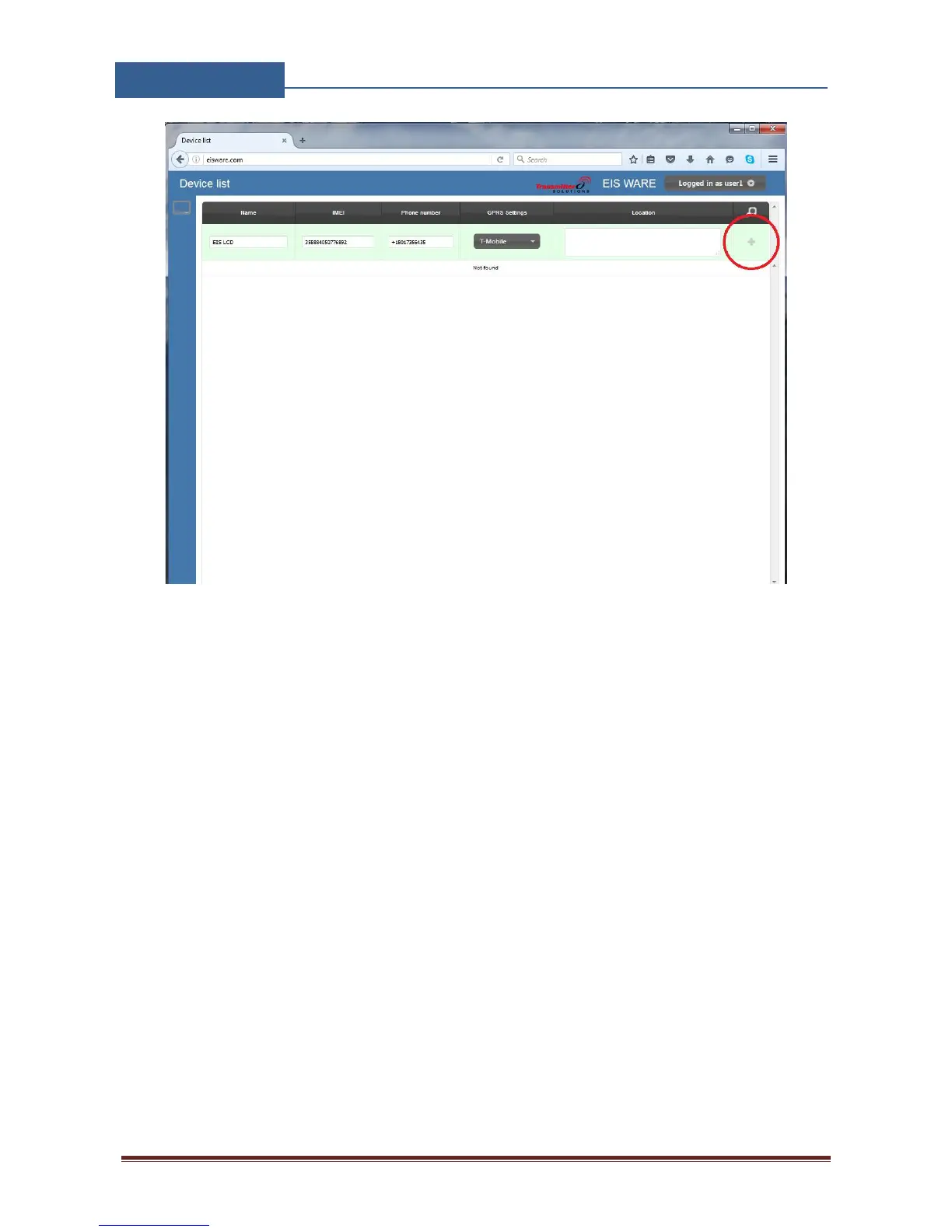
Figure 4: WEB Server-Main page adding GSW1 units
User than provides required data:
Name: Name for the added unit - mandatory information.
IMEI: Identification number of the unit, can be found in the enclosure of the unit -
mandatory information. The IMEI is located on the cellular chip and also should be on the
card board box of the GSW1.
Phone Number: The telephone number of the SIM card in the GSW1 unit - mandatory data.
GPRS settings: Information needed to enable data connection between the server and the
unit. Selectable from the drop-down menu - mandatory data.
Location: Notification field, used by the user to provide extra data for its own information -
optional data.
By clicking the “+” (insert sign) after filling mandatory data, the unit will be added to the user
profile.
First building of the unit data-base may take a few minutes.


 To Next Page