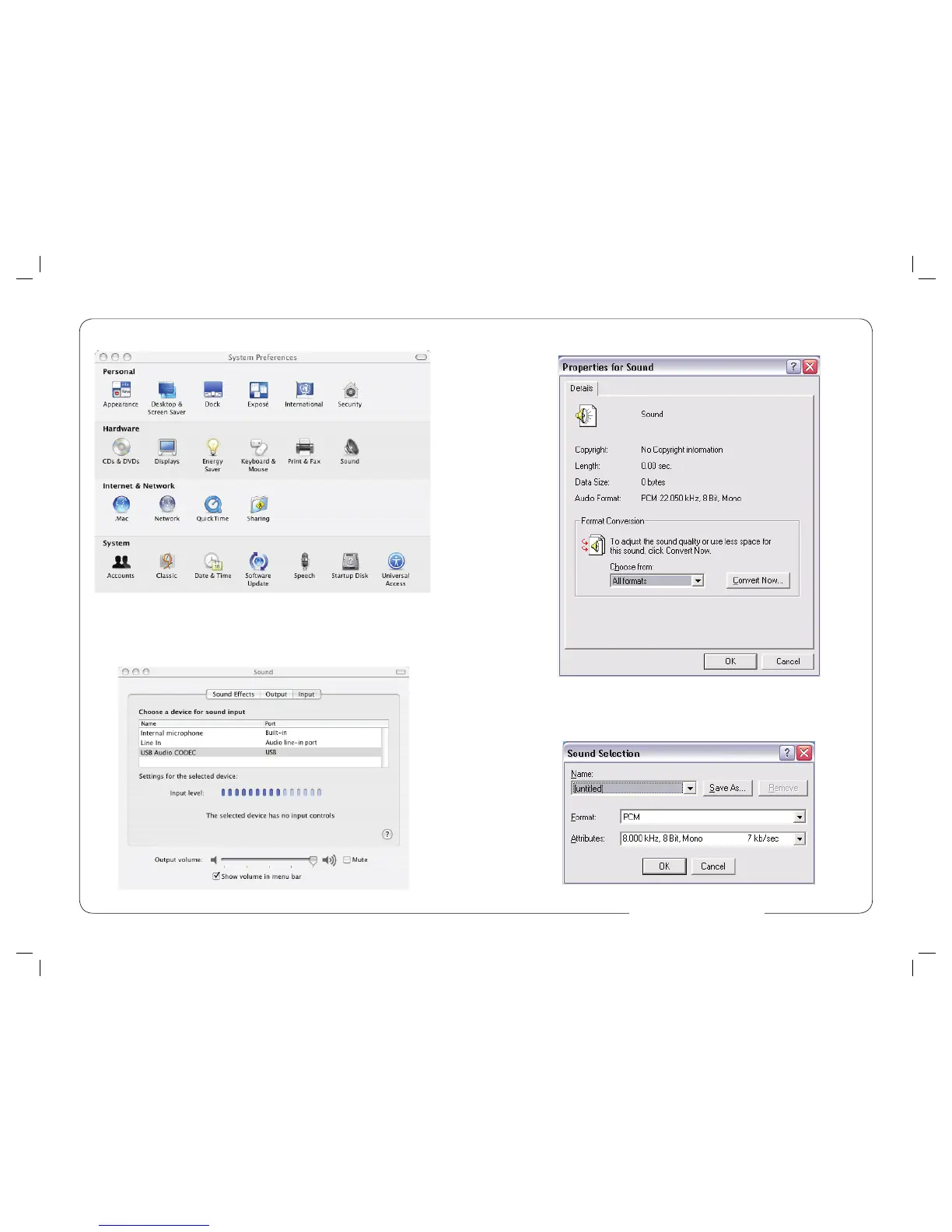
4. Select File - Properties. It should look like Figure #3.
Figure #3
5. Click the Convert Now… button. It should look like Figure #4.
4. Next, click on the Sound icon in the Hardware group as shown in Figure #8 below.
Figure #8
5. After opening the Sound dialog screen, there will be three tabs at the top of
the window, select the Input tab by clicking on it.
6. Then select the USB Audio Codec as the device for sound input as shown in
Figure #9 below.
Figure #9
8 5
Figure #4
www.mxl-usb.com


 To Next Page