EasyManua.ls Logo

Martini Instruments pH 58 User Manual

Martini Instruments pH 58
2 pages
To Next Page IconTo Next Page
Page #1 background imageLoading...
Page #1 background image
OPERATIONAL GUIDE
Remove the electrode cap and immerse the
meter in MA9015 storage solution for 2 hours
to activate the electrode.
Turn the meter on by pressing the ON/OFF
button. All the used segments on the LCD will
be visible for 1 second or as long as the
button is pressed.
Immerse the electrode in the solution to be
tested. Stir gently and wait for the reading to
stabilize, i.e. the instability indicator (hour-
glass) on the LCD turns off.
Select the pH or ORP (mV) mode by press-
ing the SET/HOLD button.
The displayed pH value is automatically com-
pensated for temperature. The ORP (mV)
value will be displayed on the main LCD,
while the temperature will always be dis-
played on the secondary LCD.
To freeze the display, while in measurement
mode, press and hold the SET/HOLD button.
The “HOLD” message appears on the sec-
ondary display and the reading will be fro-
zen on the LCD. Press any button to return
to the normal measurement mode.
To turn the meter off, press the ON/OFF
USER MANUAL
pH 58
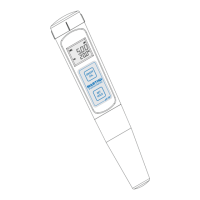
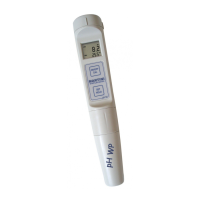
Pocket-size
pH/ORP/°C/°F Meter
ISTPH58R1 05/05
button. The “OFF” message will appear on
the secondary display. Release the button.
Note:
• Before taking any measurement, make sure
the meter is calibrated (the CAL tag is on).
• After use always turn the meter OFF, rinse
the electrode with water to minimize contami-
nation and store it with a few drops of storage
(MA9015) or pH7 (M10007) solution in the
protective cap.
NEVER USE DISTILLED OR DEIONIZED WA-
TER FOR STORAGE PURPOSE.
CALIBRATION PROCEDURE
The ORP (mV) range is factory calibrated.
Contact the nearest Service Center for
recalibration, if necessary.
For better accuracy, frequent calibration of the
tester is recommended. Calibration is also nec-
essary after electrode replacement, after testing
aggressive chemicals and where extreme ac-
curacy is required.
Turn the meter on and select the pH mode
with the SET/HOLD button.
Press and hold the ON/OFF/CAL button until
the “OFF” message on the secondary LCD
is substituted by “CAL”. Release the button.
The instrument enters the calibration mode
by displaying “pH 7.01 USE” (or “pH 6.86
USE” if the NIST buffer set was selected).
For a single-point calibration, immerse the
electrode in any buffer, i.e. pH 4.01, 7.01 (or
6.86), 10.01 (or 9.18).
www.milwaukeeinst.com
The meter activates the automatic buffer rec-
ognition. If no valid buffer is detected, the
meter keeps the USE indication active for 12
seconds, and then replaces it with WRNG,
indicating that the sample being measured is
not a valid buffer. Otherwise, if a valid buffer
is detected, then its value is shown on the
primary display, and REC appears on the
secondary LCD.
If the pH 7.01 (or pH 6.86) was used, press
the SET button to exit the Calibration mode
and the “OK 1” message will appear on the
display. The first calibration point is stored
and the meter returns to normal measure-
ment mode.
For better accuracy, it is always recom-
mended to perform a 2-point calibration.
For a two-point calibration, immerse the elec-
trode in pH 7.01 (or pH 6.86) buffer solution.
After the first point has been accepted, the
meter will then ask for the second buffer and
the message “pH 4.01 USE” will appear.
Rinse the electrode and immerse it in the
second solution (pH 4.01, 10.01 or 9.18).
If a valid buffer value is detected, the REC
message is displayed and the meter com-
pletes the calibration procedure. The LCD
shows the accepted value with the “OK 2”
message and the instrument returns to the
normal measurement mode. Otherwise, if no
valid buffer is detected, the meter displays the
WRNG message.
Question and Answer IconNeed help?

Do you have a question about the Martini Instruments pH 58 and is the answer not in the manual?

Martini Instruments pH 58 Specifications

General IconGeneral
BrandMartini Instruments
ModelpH 58
CategoryMeasuring Instruments
LanguageEnglish

Summary

Operational Guide

Initial Electrode Activation

Activate the electrode by immersing it in MA9015 storage solution for 2 hours.

Powering On and Measurement

Turn on the meter and immerse the electrode in the solution to be tested until the reading stabilizes.

Mode Selection and Display

Select pH or ORP mode using SET/HOLD. pH is auto-compensated; ORP/Temp displayed.

Freezing the Display

Press and hold SET/HOLD to freeze the current reading on the LCD. Press any button to resume.

Powering Off

Press the ON/OFF button to turn off the meter. The 'OFF' message appears on the secondary display.

Calibration Procedure

Starting Calibration

Turn on meter, select pH mode, and press ON/OFF/CAL to enter calibration mode.

Single-Point Calibration

Immerse electrode in a buffer (e.g., pH 7.01). Meter recognizes buffer, displays REC and OK 1.

Two-Point Calibration

After first point, immerse in second buffer (pH 4.01/10.01). Meter displays REC, OK 2, and returns to normal mode.

Setup

Temperature Unit Selection

Enter Setup mode to select temperature units (°C or °F) using SET/HOLD and ON/OFF buttons.

Calibration Buffer Set Selection

In Setup mode, select the desired pH buffer set (e.g., pH 7.01 BUFF) using SET/HOLD and ON/OFF.

Electrode Replacement

Electrode Removal

Remove the protective cap and unscrew the plastic ring to remove the electrode.

Electrode Installation

Install a new MI58P electrode, ensuring gaskets are in place before screwing back the ring.

Battery Replacement

Battery Warning and Replacement

Replace batteries when the low battery symbol appears. Use 4x1.5V batteries (IEC LR44, A76).

Specifications

Measurement Range and Resolution

Details pH, ORP, and temperature ranges, along with measurement resolution.

Accuracy and EMC Deviation

Specifies accuracy for pH, ORP, temperature, and typical EMC deviation values.

Temperature Compensation and Calibration

Information on automatic temperature compensation and pH/ORP calibration.

Probe, Environment, and Power

Details about the probe type, operating environment, battery type, and battery life.

Device Dimensions and Weight

Provides the physical dimensions and weight of the pH/ORP meter.

Related product manuals