ADJUSTING THE TRIM
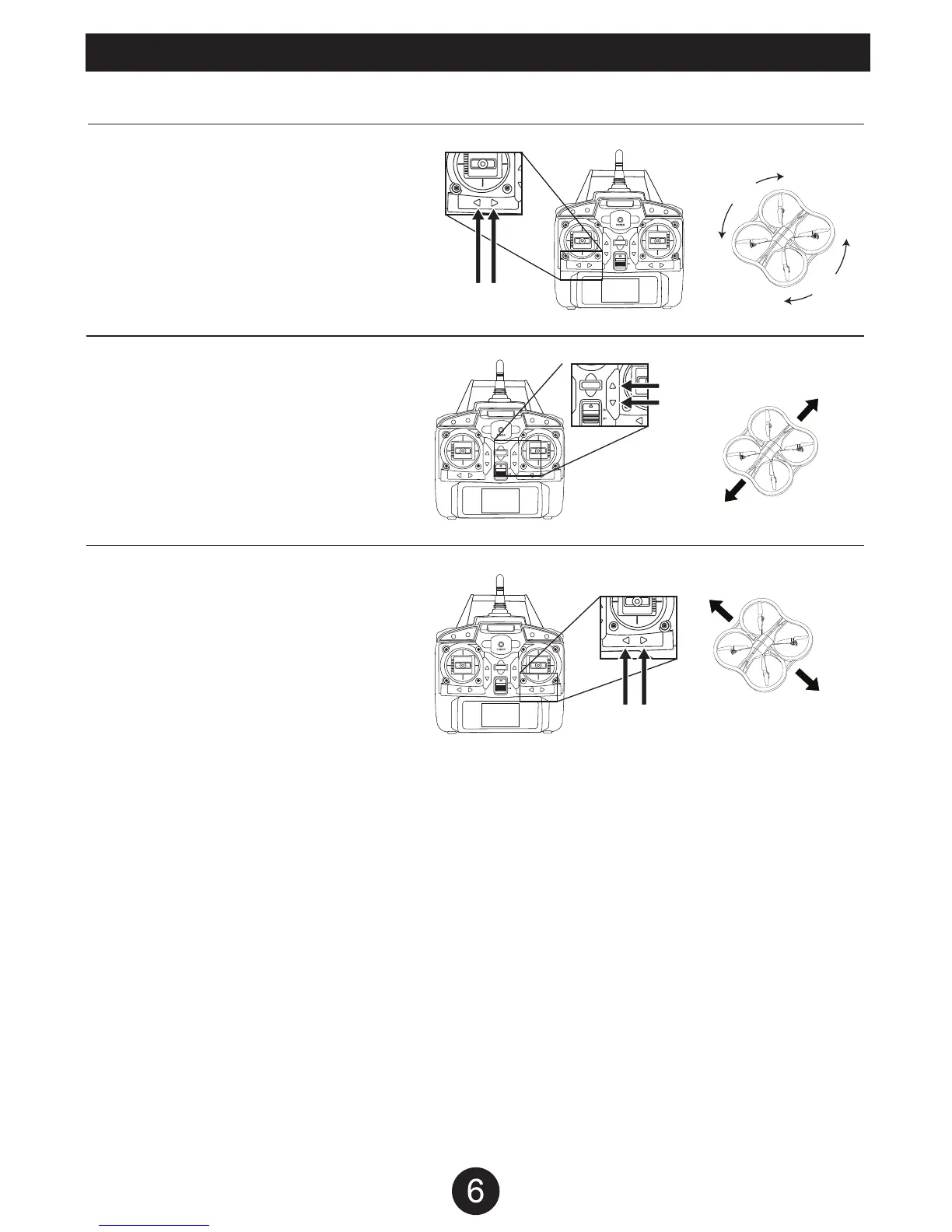
If the drone moves in any direction while hovering without transmitter input, you will need to adjust the trim.
If the drone is spinning to the left, push the RIGHT TRIM
button until the drone stops spinning.
If the drone is spinning to the right, push the LEFT TRIM
button until the drone stops spinning.
If the drone is moving forward, push the BACKWARD
TRIM button until the drone stops moving forward.
If the drone is moving backward, push the FORWARD
TRIM button until the drone stops moving backward.
If the drone is moving left, push the MOVE RIGHT TRIM
button until the drone stops moving left.
If the drone is moving right, push the MOVE LEFT TRIM
button until the drone stops moving right.
Left Trim Right Trim
Forward Trim
Forward
Right
Left
Backward Trim
Backward
Move
Right Trim
Move Right
Move Left
Move
Left Trim


 To Next Page