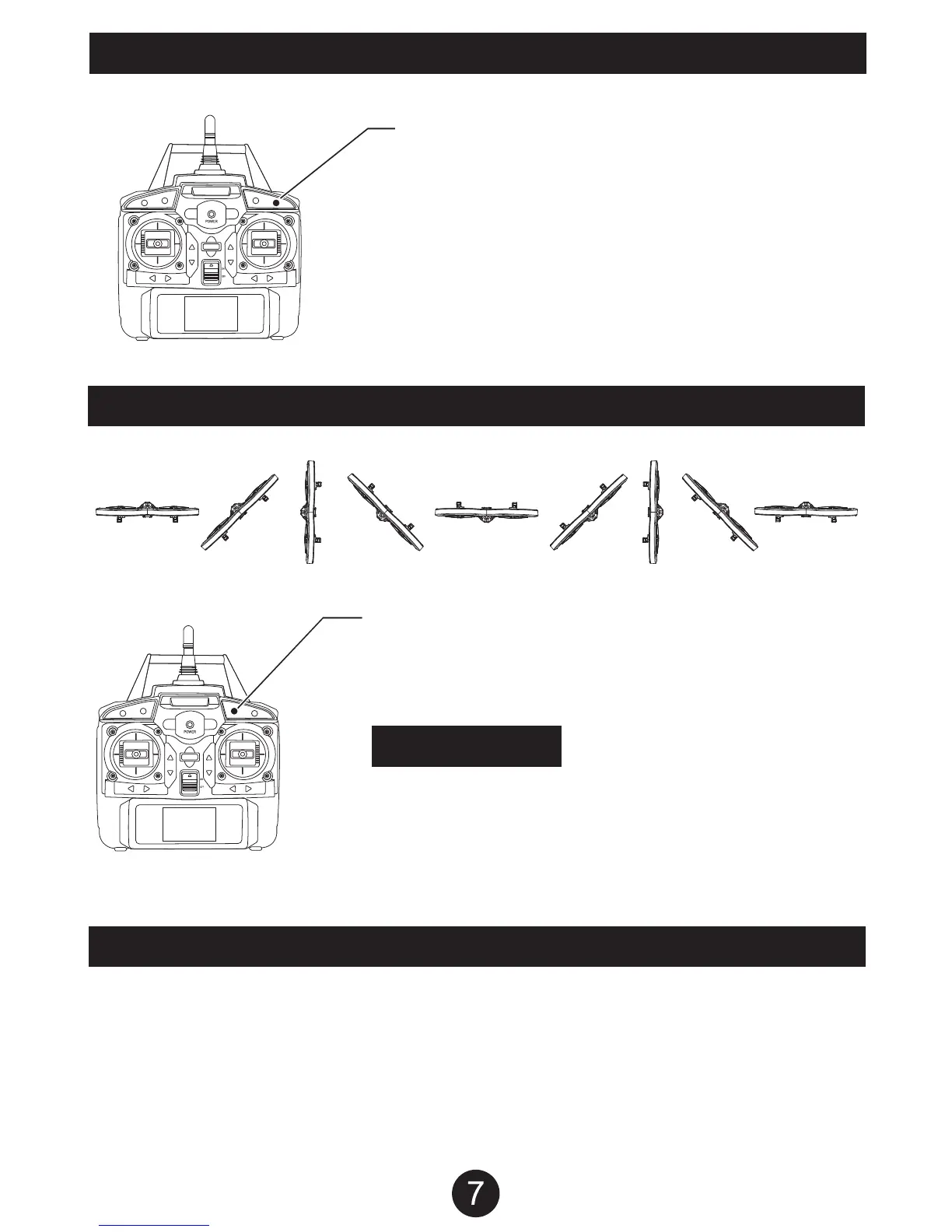
DRONE SPEED CONTROL
SPEED CONTROL BUTTON
To control the speed of the drone, push the Speed Control
button, has 3 speeds, High, Medium, and Low.
- Low Speed: Transmitter beeps once
- Medium Speed: Transmitter beeps 2 times.
- High Speed: Transmitter beeps 3 times.
DRONE FLIP STUNT
FLIP STUNT BUTTON
Have the drone hover at least 10 feet off the ground.
Press the FLIP STUNT BUTTON and the drone will
perform a single flip.
WARNING
Make sure the drone is hovering at least 10 feet off the ground
before performing the flip stunt. The flip stunt will cause the drone
to drop approximately 6 feet. If you perform the flip stunt while
being less than 10 feet off the ground, the drone may crash and
become damaged.
POST FLIGHT
After you are done flying the drone make sure the battery pack on the drone is disconnected and the transmitter
power is turned off. If you are not going to use the drone for a long period of time, please remove the AA batteries
from the transmitter to prevent the batteries from draining or leaking.


 To Next Page