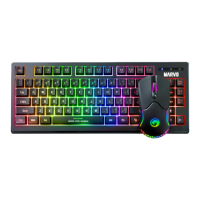
5
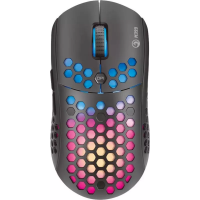
• Driver programmable
• DPI Steps 800-1600-2400-3200-4800-6400
• Multimedia Functions
• Full Anti-Ghosting
• Ergonomic Adjustable
• Large Size
Safety Notes
• Keep the equipment dry. Keep away from precipitation,
humidity, all types of liquids and condensation.
• Do not use the product with wet hands.
• Do not use or store the equipment in dusty or dirty
areas.
• Do not store the equipment under high-temperature or
low-temperature conditions (this may damage it).
• Do not drop, knock, or shake the equipment (use may
result in breakage).
Installation
Connect the keyboard and mouse to the available USB ports
on your computer; if the peripherals are used for the first
time wait approx. 15 seconds to install the generic driver.


 To Next Page