
EasyManua.ls Logo

Massa M3 - User Manual

Massa M3
29 pages
Print Icon
To Next Page IconTo Next Page
Loading...
Product Manual - April 24, 2012 M3 Wireless Ultrasonic Level Sensor
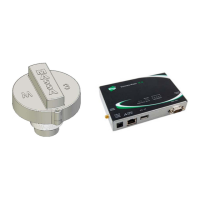
Massa Model M3 Wireless
Tank Level Sensor and Digi Gateway
User’s Guide
.

Other manuals for Massa M3

Questions and Answers

  • E
    Elizabeth SchmittAug 13, 2025
    Why is Massa M3 Gateway missing data and losing sensor association?
    • W
      William WhiteAug 13, 2025
      Missing data and sensor association loss in your Massa Gateway could stem from several factors. A gateway power cycle might cause it, which can be resolved by upgrading the sensor firmware to version 31 or later, enabling the sensor to detect an unassociated state and attempt to rejoin the gateway. If your gateway's Xbee version is older than 21A0, upgrade it to version 21A0. Poor RF link could also be the cause; in this case, consider using a wall router or relocating the gateway. Other potential causes include the sensor antenna not being upright, poor sensor/gateway placement, or low battery voltage.
  • E
    Evan ClementsAug 16, 2025
    What to do if the Massa M3 Gateway driver is not outputting data or changing sensor settings?
    • K
      Kayla DavisAug 16, 2025
      If your Massa Gateway driver isn't outputting data or changing sensor settings, and you're using dia.yml controls, carefully check the syntax and spacing of your sensor settings in the dia.yml file. Also, verify that the MAC address is correctly entered.
  • P
    pearsonaaronAug 20, 2025
    How to fix Massa sensor blinking red/green?
    • D
      David ReedAug 21, 2025
      If your Massa Gateway sensor is blinking red and green, it likely indicates that there is no application firmware. To resolve this, load the gateway with the appropriate M3 firmware (specific to your sensor model) and enable the sensor firmware upload setting in the dia.yml file.
  • K
    Katie MasonAug 25, 2025
    What to do if Massa sensor has to rejoin gateway every awake cycle?
    • N
      Nicole MaddenAug 25, 2025
      If your Massa Gateway sensor has to rejoin the gateway every time it wakes up (indicated by a solid red LED that then blinks), it means the gateway has dropped the sensor from its XBee network. To fix this, set the gateway’s SN/SP registers timing to be at least three times longer than the sensor’s sleep register.
  • J
    Jeremy BarnesAug 27, 2025
    Why Massa sensors do not rejoin gateway upon awake when it was previously joined?
    • E
      Erica WilsonAug 28, 2025
      If Massa Gateway sensors aren't rejoining the gateway upon waking, even after being previously joined, it could be due to a gateway power cycle and the Xbee 'Number of remaining children' register being full (NC=0). To address this, upgrade to Massa Python driver 0.53 or greater, which will perform an Xbee network reset upon gateway boot when NC=10. Also, ensure the sensor firmware is version 31.x or greater, as this will enable the sensor to immediately rejoin the gateway upon its next awake cycle.
  • C
    Christina SavageSep 1, 2025
    How to fix Massa sensor appearing joined but not seen on XBee network (RED LED flashing every 2 seconds, Case #2)?
    • S
      Sarah CareySep 1, 2025
      If your Massa Gateway sensor appears joined (with a RED LED flashing every 2 seconds when awake) but isn't visible on the XBee network (Case #2), it could be because the gateway encryption is enabled while the sensor encryption is disabled. In this situation, the sensor will be allowed to associate with the gateway but will not be seen or enabled on the XBee network.
  • B
    Brandon SummersSep 4, 2025
    How to fix Massa sensor appearing joined but not seen on XBee network (RED LED flashing every 2 seconds, Case #1)?
    • A
      Angel Morrison Jr.Sep 4, 2025
      If your Massa Gateway sensor appears joined (with a RED LED flashing every 2 seconds when awake) but isn't visible on the XBee network (Case #1), it might be associating with another gateway in the vicinity because both are using the same PAN ID (0). To resolve this, use non-zero PAN IDs for both the gateway and the sensor.
  • E
    Erin BartonSep 8, 2025
    How to fix Massa Gateway cannot upload sensor firmware?
    • M
      Mary VanceSep 8, 2025
      If you're unable to upload sensor firmware to your Massa Gateway, and you're using Gateway XBee version 21A7 with encryption enabled, disable encryption (EE=0) in both the sensor and the gateway's Xbee. If encryption is required (EE=1), upload gateway Xbee version 21A0.

Summary

Gateway Setup and Configuration

Network and Basic Settings

Configure network, time source, and XBee settings for the Digi Gateway.

Python Files Management

Upload and manage Python scripts for gateway operation and set auto-start programs.

Sensor Configuration and Operation

Sensor Settings via dia.yml

Detailed configuration of sensor parameters, including sleep, awake, and message modes.

Sensor XBee Firmware Update

Step-by-step guide to update the sensor's XBee firmware to the latest version.

Application Deployment and Troubleshooting

Tank Farm Setup Example

A practical example of setting up sensors and gateways for a tank farm.

Troubleshooting Guide

Solutions for common issues such as data loss, association failures, and firmware upload errors.

Massa M3 Specifications

General IconGeneral
BrandMassa
ModelM3
CategoryGateway
LanguageEnglish