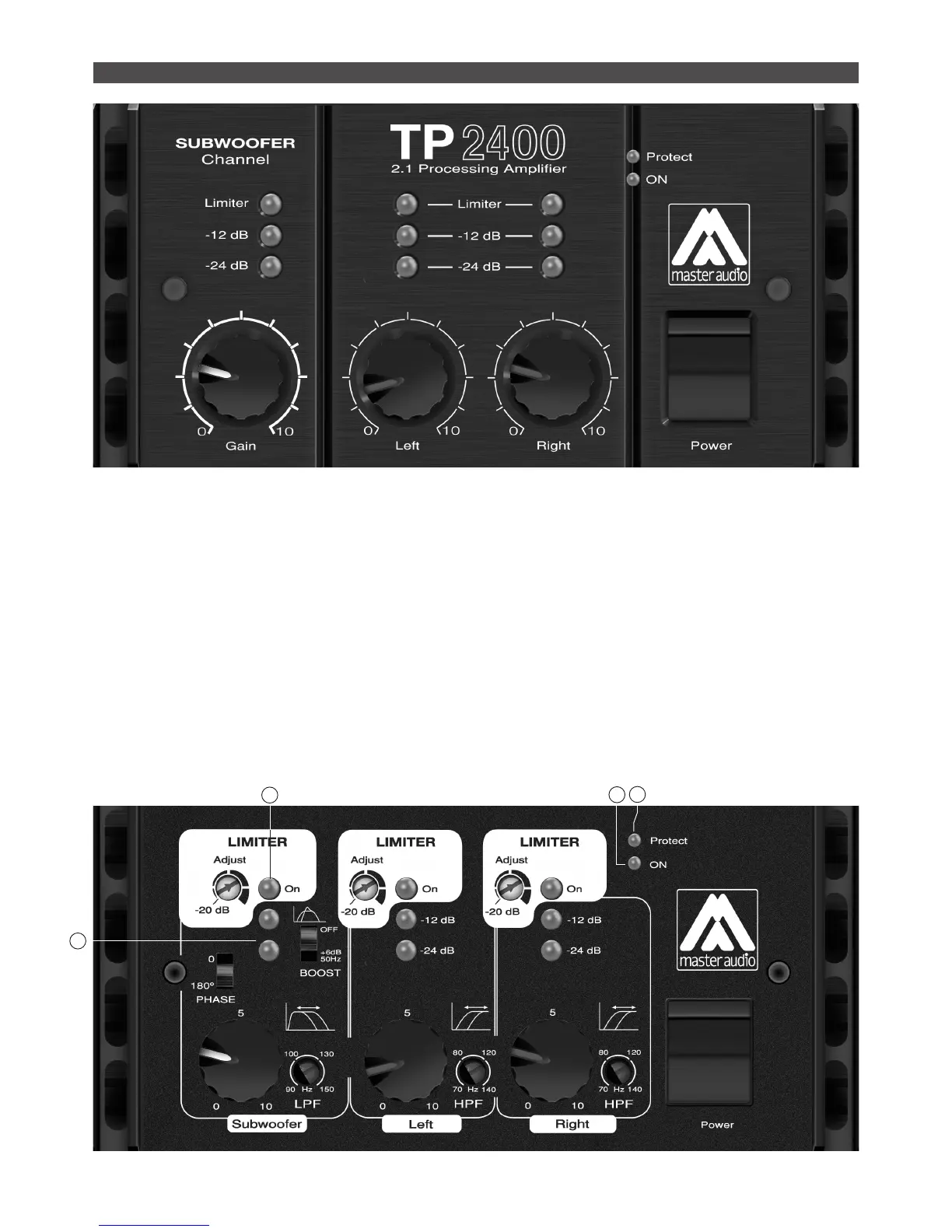
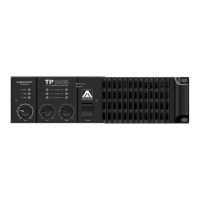
All the controls of the TP2400 are located on the front panel. The
basic controls (Power switch and volume control for left/right/
sub) can be accessed directly.
By removing the central front panel cover (unscrewing the two
screws that attach it to the front panel), the advanced con-
trols can be accessed. This set of controls is used to optimize
the TP2400 to the loudspeaker systems to be driven. For the
Subwoofer section BOOST, PHASE, HPF and LIMITER are avai-
lable. For the LEFT & RIGHT channels, LPF and LIMITER can
be adjusted. Once these controls have been set, the front panel
cover can be mounted again, to avoid and unintended change to
these sensitive controls.
INDICATOR LEDS. On the front panel, several leds supply with
basic information about the amplier function:
a) The BLUE led lights when the unit is powered ON.
b) The RED led is lit when a protection circuit is active
c) The GREEN leds (-24dB, -12dB) show the output level delive-
red by each amplier channel
d) The YELLOW leds are lit to show that the limiter of the corres-
ponding channel is activated
FRONT PANEL. CONTROLS
D
A
B
C
Front panel (user model)
Front panel removed (adjustment controls)


 To Next Page