
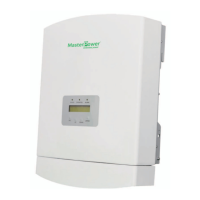
What to do for DC Bus voltage sampling Error on Master Power Inverter?
- LlewislindaSep 8, 2025
If your Master Power Inverter displays 'DC Bus voltage sampling Error', restart the inverter. If the fault persists, contact Beta after-sale service.
What to do for DC Bus voltage sampling Error on Master Power Inverter?
If your Master Power Inverter displays 'DC Bus voltage sampling Error', restart the inverter. If the fault persists, contact Beta after-sale service.
What to do if Master Power Inverter says Battery Not Connected?
If your Master Power Inverter displays a 'Battery Not Connected' error, check if the battery is properly connected and also verify the battery contactor. After checking the connections, restart the battery.
How to fix Internal Over Temperature on Master Power Inverter?
If your Master Power Inverter indicates 'Internal Over Temperature', verify that the inverter installation complies with the requirements detailed in the manual. Then, restart the inverter. If the problem persists, it is recommended to contact Beta after-sale service.
Why is my Master Power Inverter showing Battery Overvoltage?
If you are experiencing a 'Battery Overvoltage' issue with your Master Power Inverter, examine if the battery overvoltage setting is configured correctly. Also, determine if the battery has reached its end of life.
Why is my Master Power Inverter showing Battery Undervoltage?
If you are experiencing a 'Battery Undervoltage' issue with your Master Power Inverter, examine if the battery undervoltage setting is configured correctly. Also, determine if the battery has reached its end of life.
What to do if Master Power Inverter shows Battery BMS Alarm?
If your Master Power Inverter displays 'Battery BMS Alarm', restart the battery. If the fault persists, please contact the battery manufacturer or installer.
How do I fix LLC Hardware Overcurrent on Master Power Inverter?
If your Master Power Inverter displays 'LLC Hardware Overcurrent', restart the inverter. If the fault persists, contact Beta after-sale service.
What to do if Master Power Inverter shows Inverting Overvoltage?
If your Master Power Inverter displays 'Inverting Overvoltage', restart the inverter. If the fault persists, contact Beta after-sale Service.
How to resolve DC Bus overvoltage on Master Power Inverter?
If your Master Power Inverter displays a 'DC Bus overvoltage' error, restart the inverter. If the fault persists, contact Beta after-sale service.
What to do when Master Power Inverter reports Battery CAN Fail?
If your Master Power Inverter displays a 'Battery CAN Fail' error, check if the CAN cable is correctly connected and ensure the cables are not broken or loose.
Details the Beta AC-Coupled inverter's purpose in upgrading on-grid systems to hybrid with batteries.
Lists the items included in the package along with the inverter for verification.
Defines hazard symbols (Danger, Warning, Caution, Note) used throughout the manual.
Provides essential safety guidelines for operating and handling the inverter.
Specifies conditions and requirements for using the inverter safely and correctly.
Describes the inverter's LCD screen and the information it displays.
Explains the function of the four keys on the inverter's front panel.
Provides instructions for connecting terminals to the inverter.
Criteria for choosing an optimal and safe installation location for the inverter.
Details the dimensions and steps for mounting the inverter bracket and the inverter.
Step-by-step guide for connecting the battery power cables correctly to the inverter.
Instructions for assembling and connecting AC grid and backup cables to the inverter.
Explains the requirement and purpose of installing a CT for power flow measurement.
Guides on connecting the CAN communication and logic interface cables.
Describes the meaning of the red, green, and orange LED indicators on the inverter.
Overview of the Beta TechView APP for controlling and monitoring the inverter.
Outlines the four main submenus accessible from the inverter's main menu.
Details how to access and navigate through operational data and system information.
Introduces available settings like Time/Date, Address, and other configurations.
Explains how to access advanced data like alarms, warnings, running status, and communication data.
Covers advanced settings for standards, grid, battery, backup, storage, and system updates.
Ensures all devices are accessible, inverter is firmly installed, and ventilation is adequate.
Guides on switching on AC backup/grid, selecting grid standard, and battery connection.
Lists common alarm messages, their failure descriptions, and suggested solutions.
Details AC output power, voltage, frequency, current, and power factor.
Provides nominal battery voltage, range, charge/discharge current, and type.
Lists protection mechanisms like reverse protection, over-voltage, and short-circuit.
Specifies the maximum battery charge and discharge efficiency.
Details back-up AC output power, voltage, frequency, and peak power.
Defines operating temperature range, humidity, altitude, and ingress protection.
Includes dimensions, weight, standby losses, and cooling concept.
Lists communication interfaces (WiFi, RS485, CAN) and display type (LCD & APP).
Covers relevant certifications and the standard warranty period.
Illustrates a special back-up connection diagram involving an AC changeover switch.
| Brand | Master Power |
|---|---|
| Model | RAI-3K-48ES-5G |
| Category | Inverter |
| Language | English |
Loading...