M A S T E R C R A F T P R O S T A R
Page 9-16 2014 MasterCraft Owners Manual • ProStar Supplement
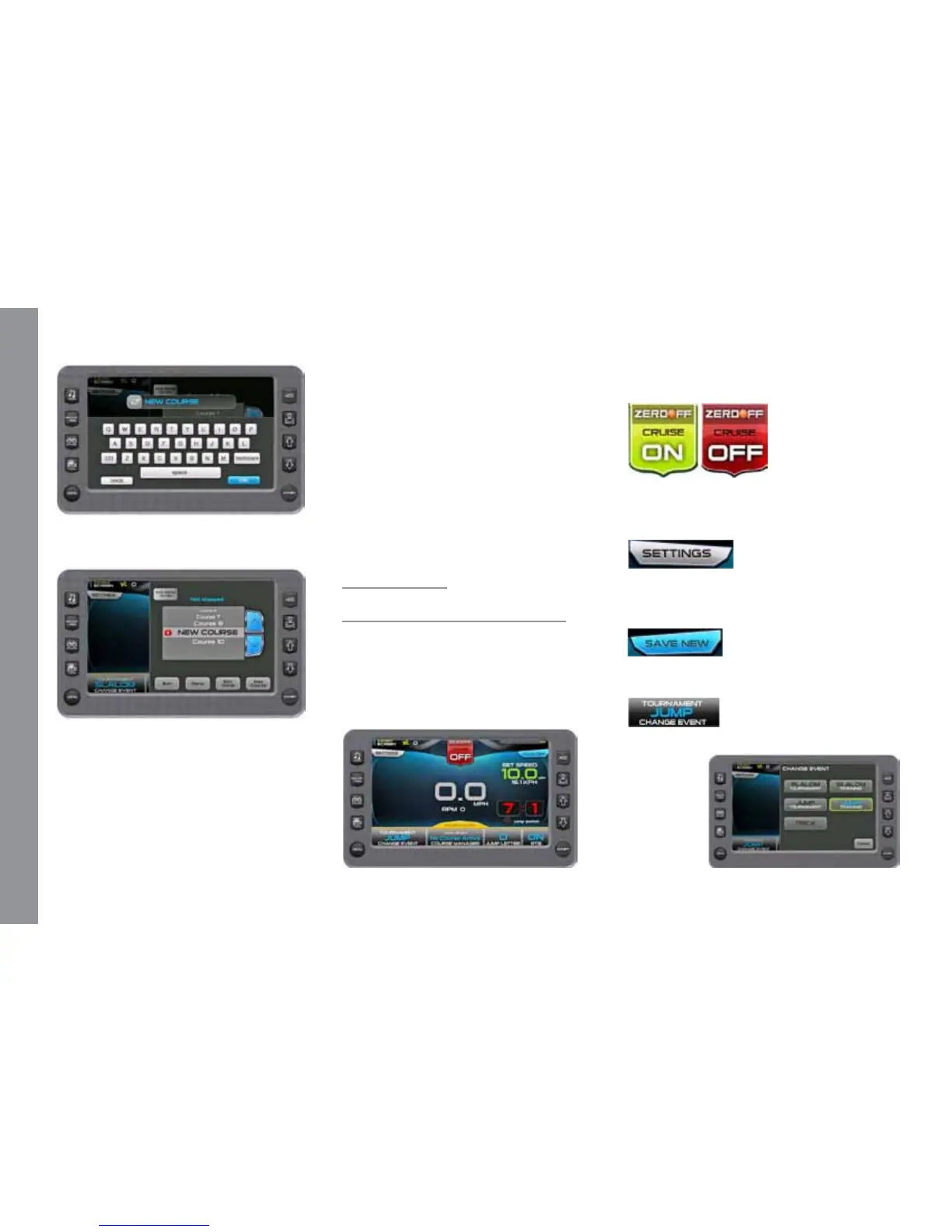
Type the name of the course. Touch
[Done]. is saved your changes.
e new name is highlighted. Touch
[Done].
NOTE: Additional Options on the
Course List pop-up.
• Auto Detect – Touch to select ON or OFF.
Auto Detect ON–the display automati-
cally selects the nearest mapped course, based
on the longitude/latitude that is the same
event type the user is in (slalom or jump).
Auto Detect OFF–e user must select a
course before running it.
• Edit Name – Touch to go back and edit a
previously saved course.
• Map Course – Touch to map another course.
• Exit – touch to return to the 3 Event
screen.
• List of Courses - Touch UP and DOWN
arrows to scroll the list and choose a course.
Jump Screen–
Tournament or Training
e screen illustrates the display avail-
able when the event is Jump Tournament;
the three-event features are in tournament
mode and ready for settings. Use the Touch
Commands in setting up, controlling and
tracking the Jump event.
Touch Commands
Description
Cruise - Touch to turn cruise control
ON or OFF. (or press the Quick Access Key
from this screen.)
Settings – Select to set the Buzzer Vol-
ume, Prop Type, Timing Recap, and Jump
Switch Timeout.
Save New – Select to setup a new rider
prole. See Proles.
Change Event – Touch to select an event
from a list.


 To Next Page