M A S T E R C R A F T P R O S T A R
2014 MasterCraft Owners Manual • ProStar Supplement Page 9-5
There are also areas in which sliding a
nger from side to side will scroll through
a list.
When the slider bar on top of the screen
is visible, sliding the nger across it will
change screens.
NOTE: While the slide area may appear
to be curved, it is, in fact, a straight line.
Audio
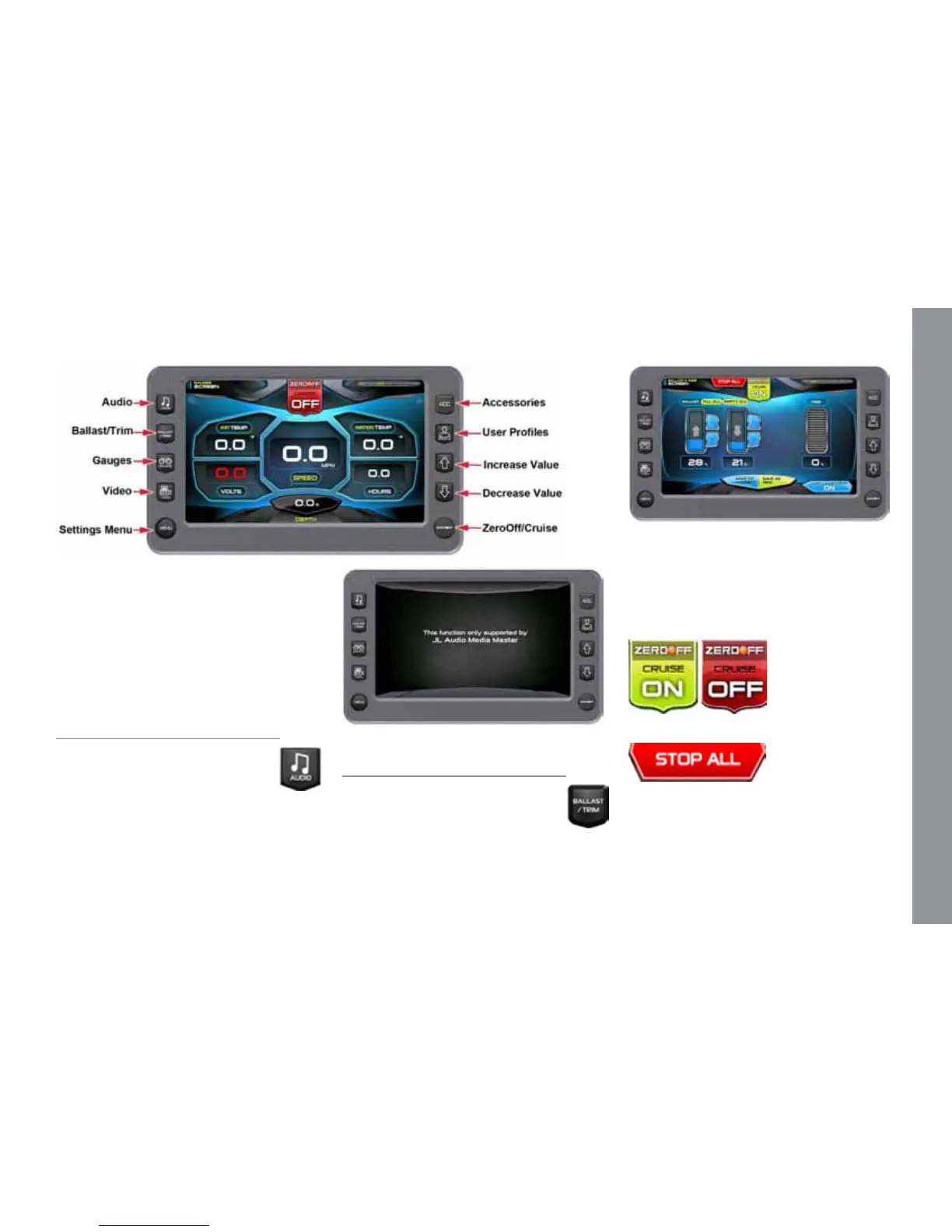
The Audio screen can be ac-
cessed by pressing the Quick Ac-
cess Key. Press any Quick Access
Key to exit this screen.
The stereo display and functionality
is supported by JL Audio Media Master.
Please see the JL owner’s manual.
Ballast and Trim
The Ballast and Trim screen can
be accessed by pressing the Quick
Access Key. Press any Quick Ac-
cess Key to exit this screen.
This screen displays the current state of
the ballasts and trim tabs. Refer to the in-
formation following for actions using the
Touch Commands on this screen.
Touch Commands
Function and Description
Touch to turn cruise control OFF or ON.
Touch to stop all activity on this screen.


 To Next Page